


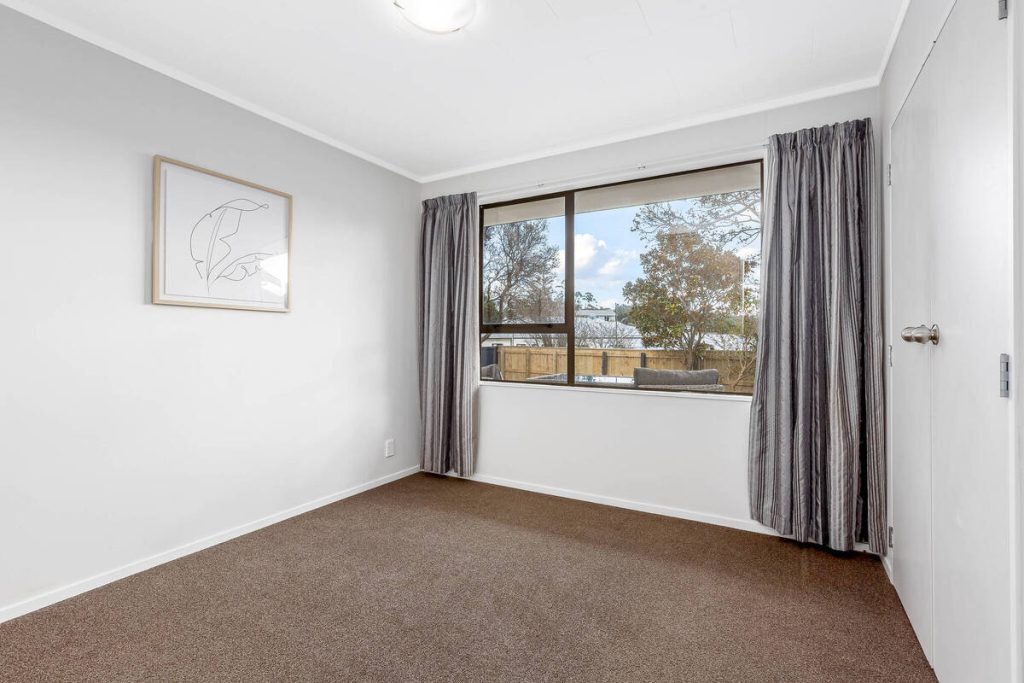
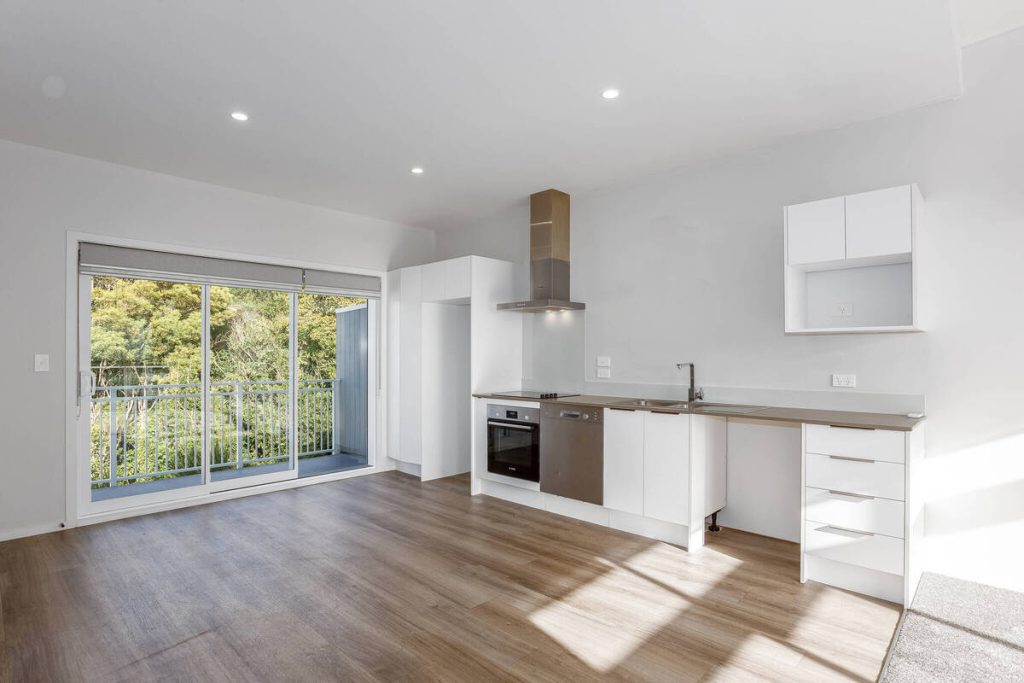
A vacant listing rarely photographs well. Empty rooms look smaller than they are, and buyers scrolling through listing photos tend to move on fast when there’s nothing to picture themselves living in.
AI virtual staging fixes that. But quality varies wildly from one tool to the next.
The best AI virtual staging looks real enough that buyers don’t think twice, while weaker tools render furniture that looks pasted onto the photo, take a day or two to deliver a single image, or charge more than the extra offers staging is supposed to bring in. Before picking a tool, it helps to know exactly what separates the good ones from the rest.
Why Vacant Listings Struggle Without Staging
Buyers decide whether a listing is worth a tour based on photos, long before they see the home in person. In NAR’s national report on home staging, 83% of buyers’ agents said staging helps buyers picture themselves living in a property, and nearly half of sellers’ agents saw staged listings spend less time on market.1
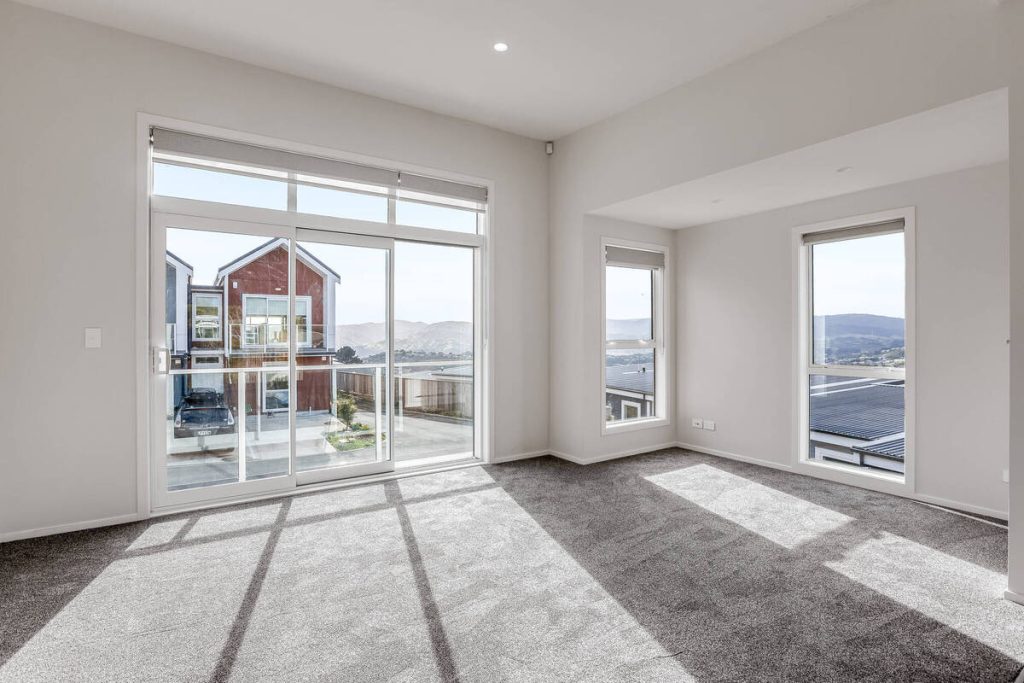
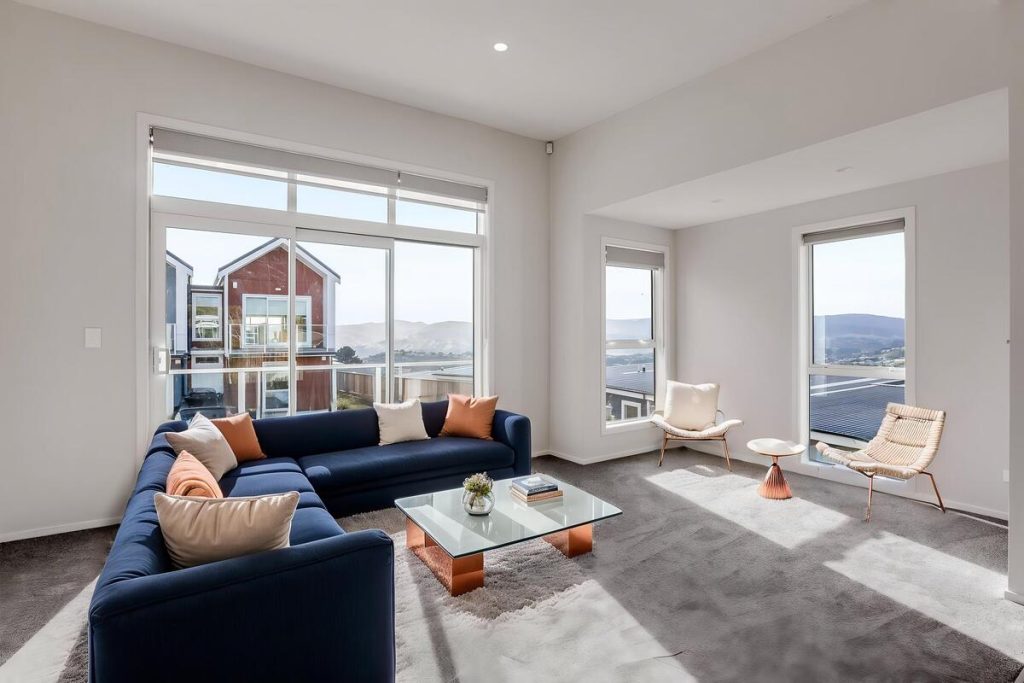


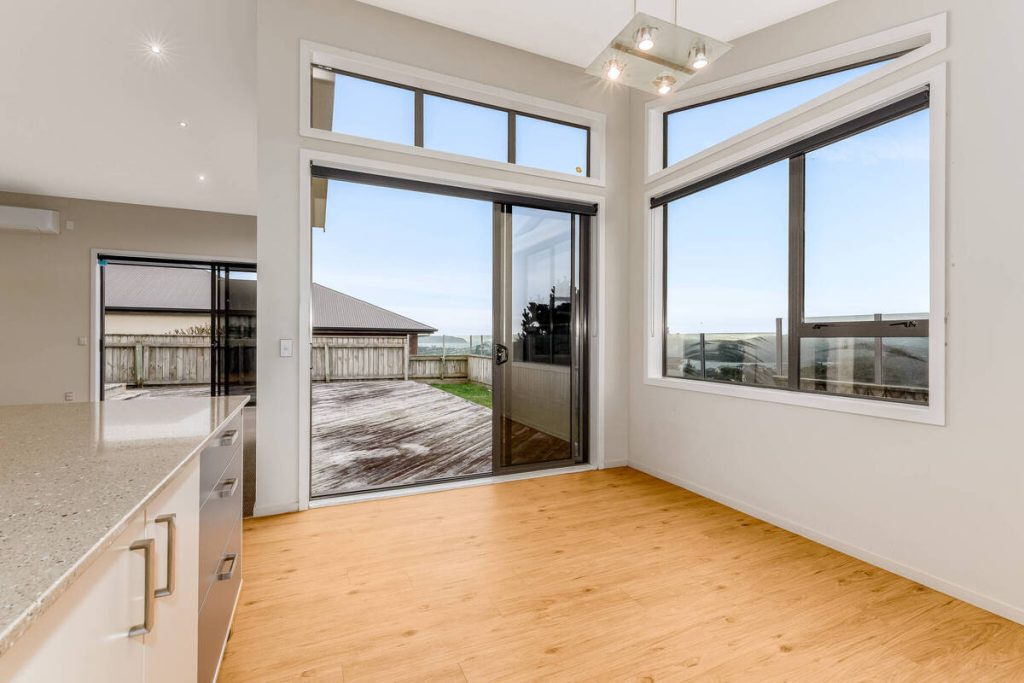
Vacant rooms don’t get any of that benefit. There’s no sense of scale, no furniture placement to react to, nothing to anchor a buyer’s imagination. That’s the gap the best AI virtual staging is built to close, but only if the output looks real enough to do the job.
What Makes AI Virtual Staging the Best Option?
Not every AI staging tool clears that bar. Here’s what separates the best AI virtual staging from tools that just add clutter to a photo.
Photorealistic results
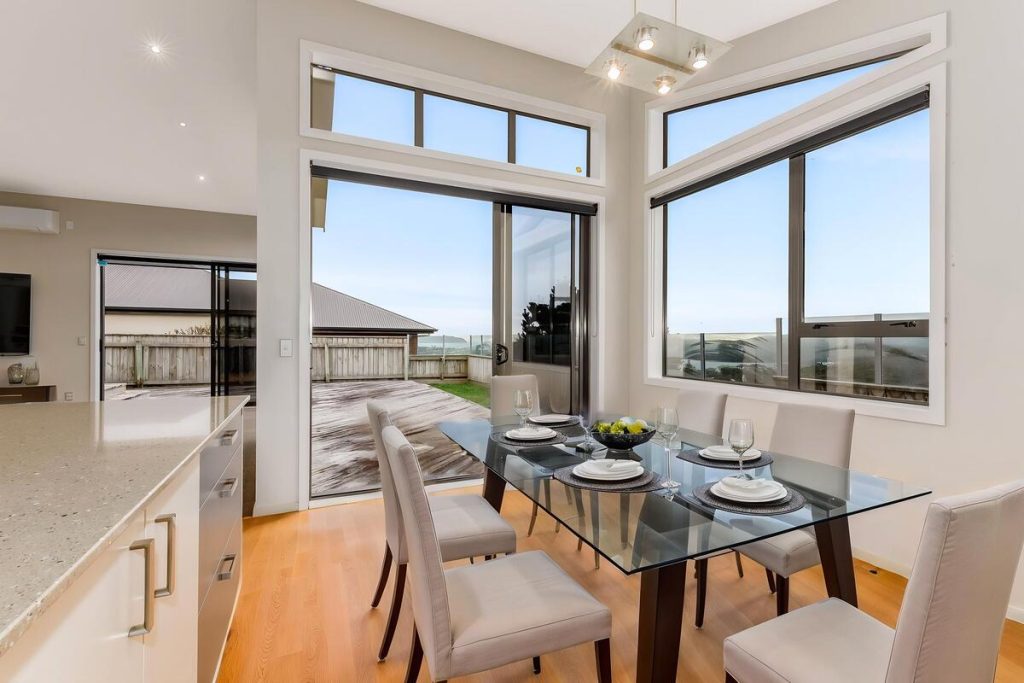
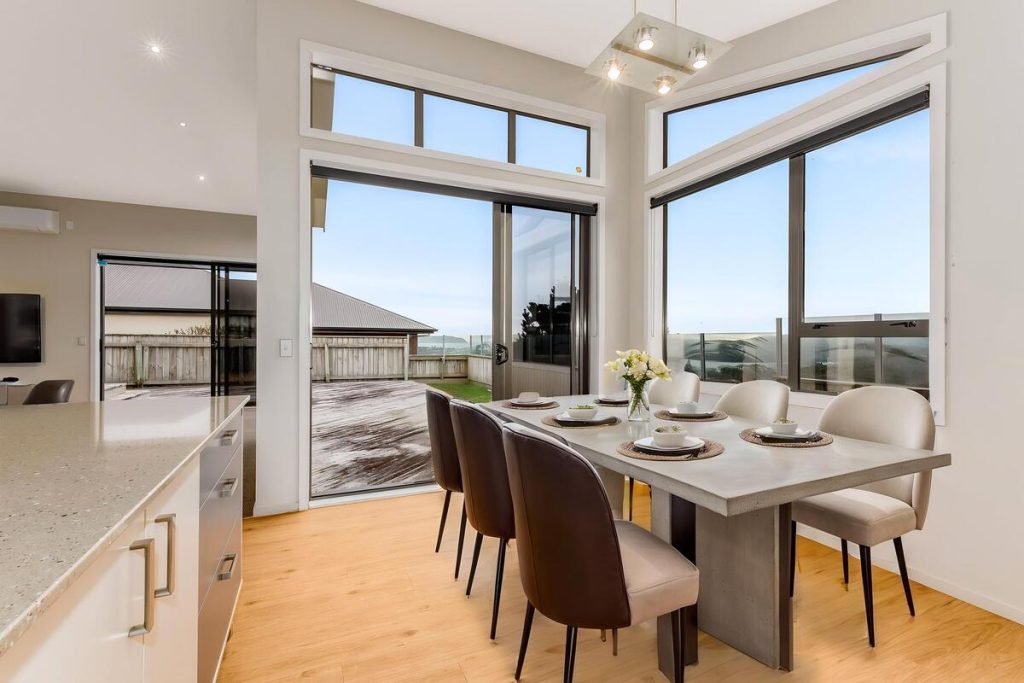
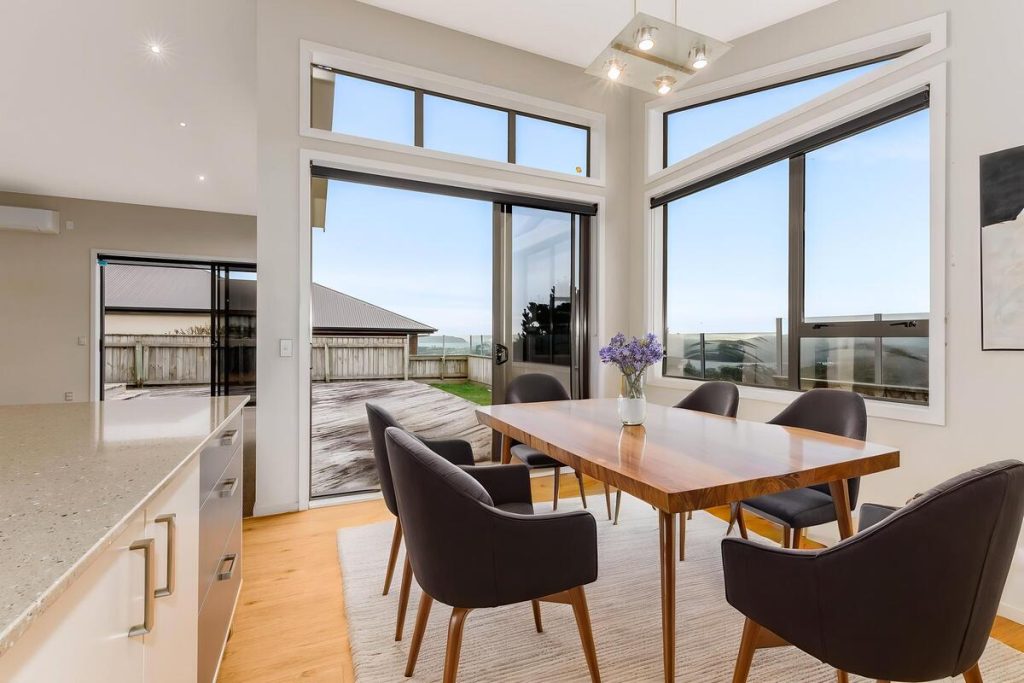
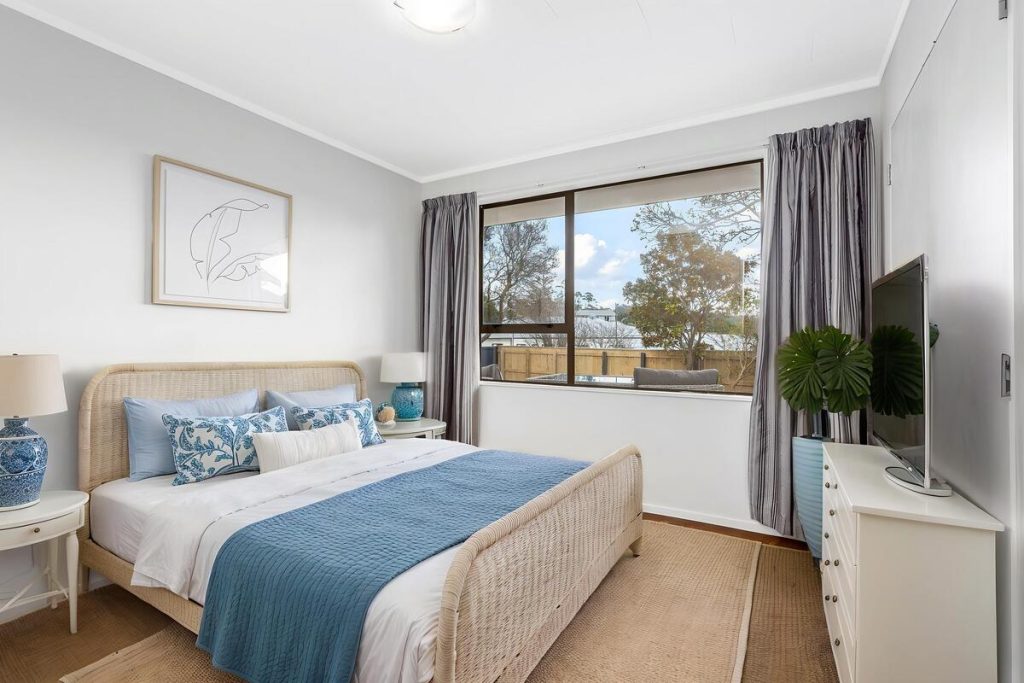
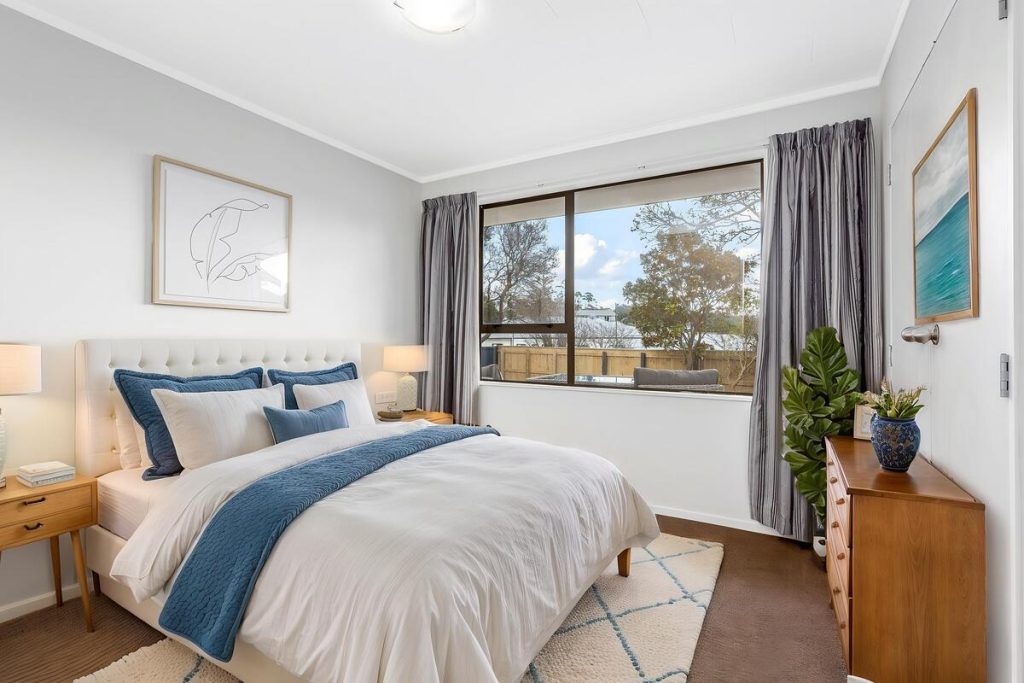
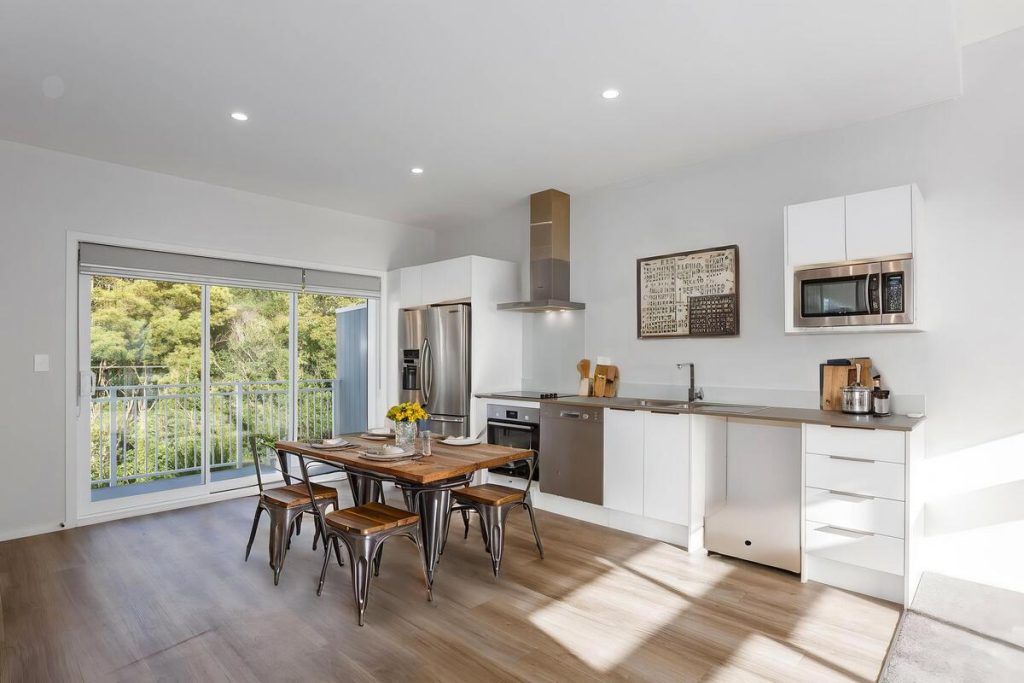
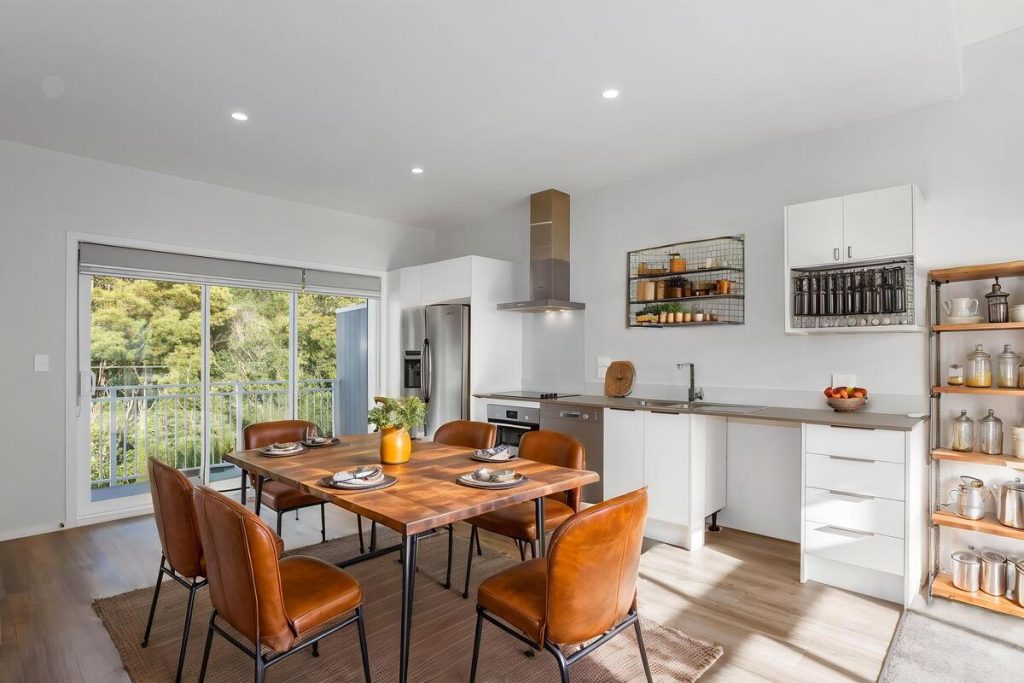
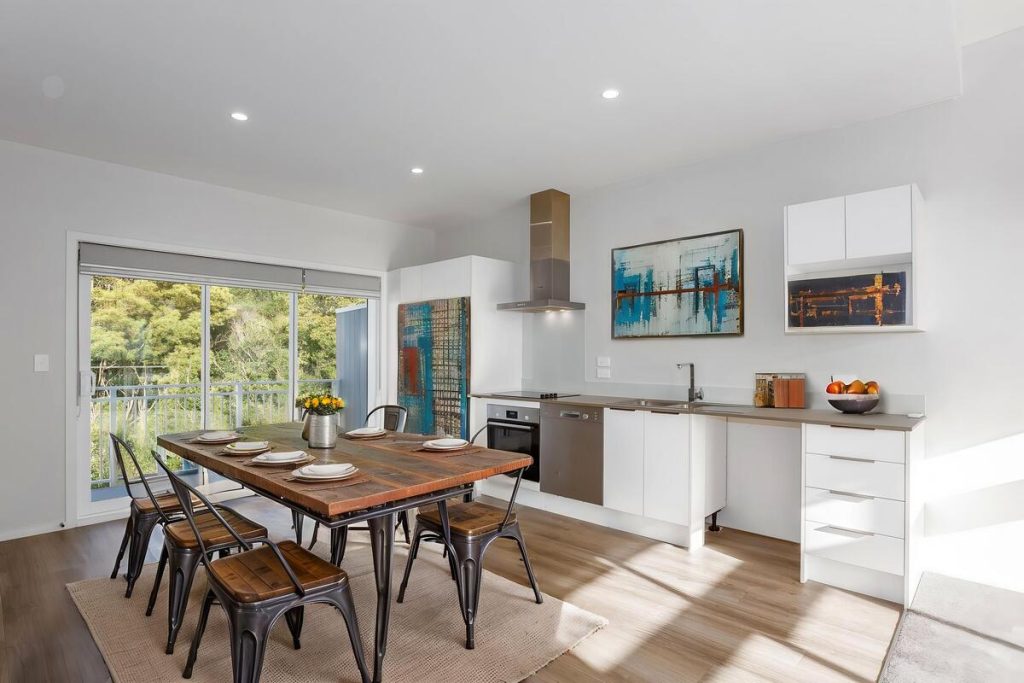
The furniture has to look like it belongs in the room, not layered on top of it. Strong AI staging tools can produce highly realistic results,2 while weaker ones may struggle with mismatched lighting, incorrect proportions, or furniture that appears to float above the floor.
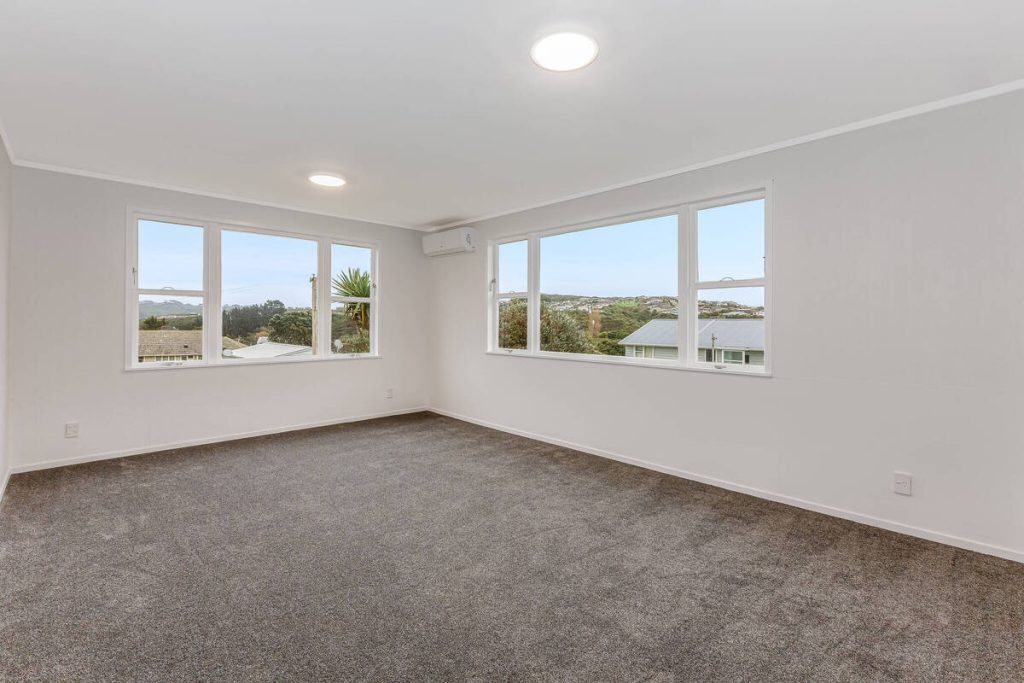
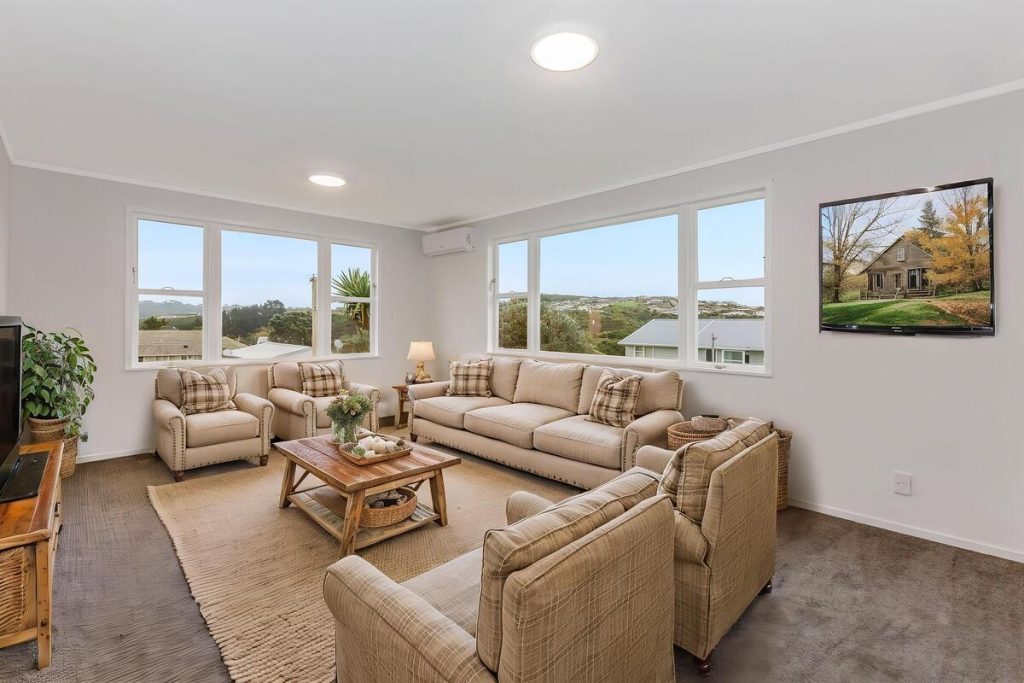

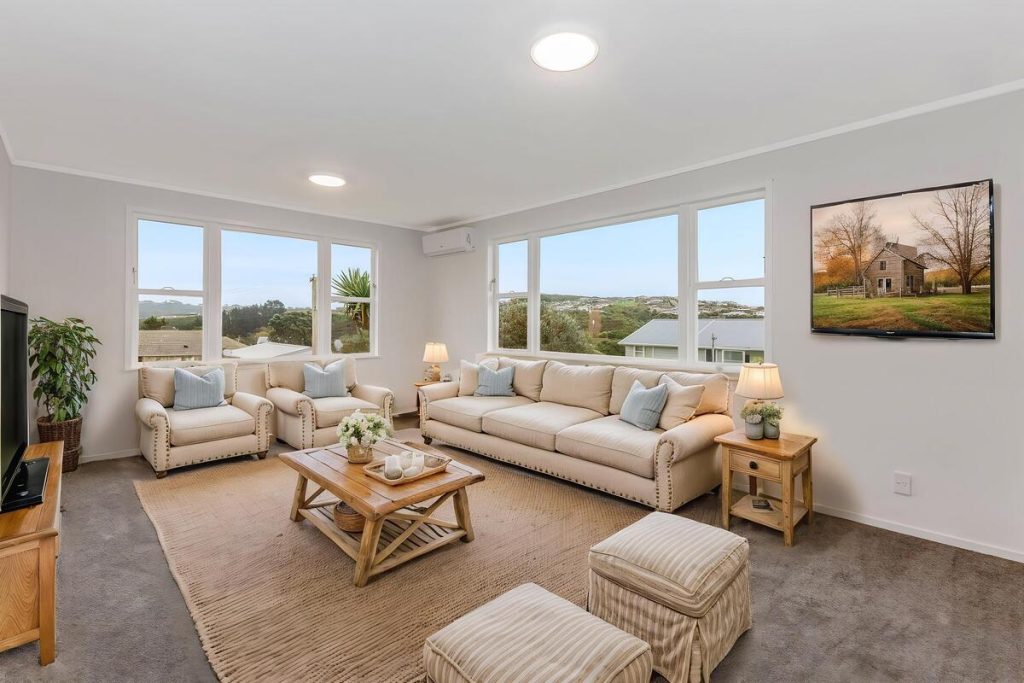
Scale matters just as much. Furniture sized wrong for the room, or a style that doesn’t match the home’s price point, tips buyers off immediately that the photo was edited.
Fast turnaround
Listings move fast, and agents don’t have days to wait on staged photos. Turnaround on AI staging platforms ranges from under a minute to 24-48 hours per image, according to The Close’s review of virtual staging software.3 The best tools land on the fast end, so a listing can go live without a week’s delay for editing.
Transparent, affordable pricing
Per-image pricing on AI virtual staging spans from a few cents to nearly $70, depending on the platform and whether it’s AI-only or backed by a human designer. Subscription plans add another layer agents need to weigh against how many listings they actually stage in a given month.
The clearest pricing is a flat per-image rate with no hidden minimums, so the cost stays predictable whether an agent is staging one room or a whole vacant house.
Quick & Easy
AI Virtual Staging
Interiors. Landscapes. Commercial. Virtually transform any space.

Furniture styles that fit the property
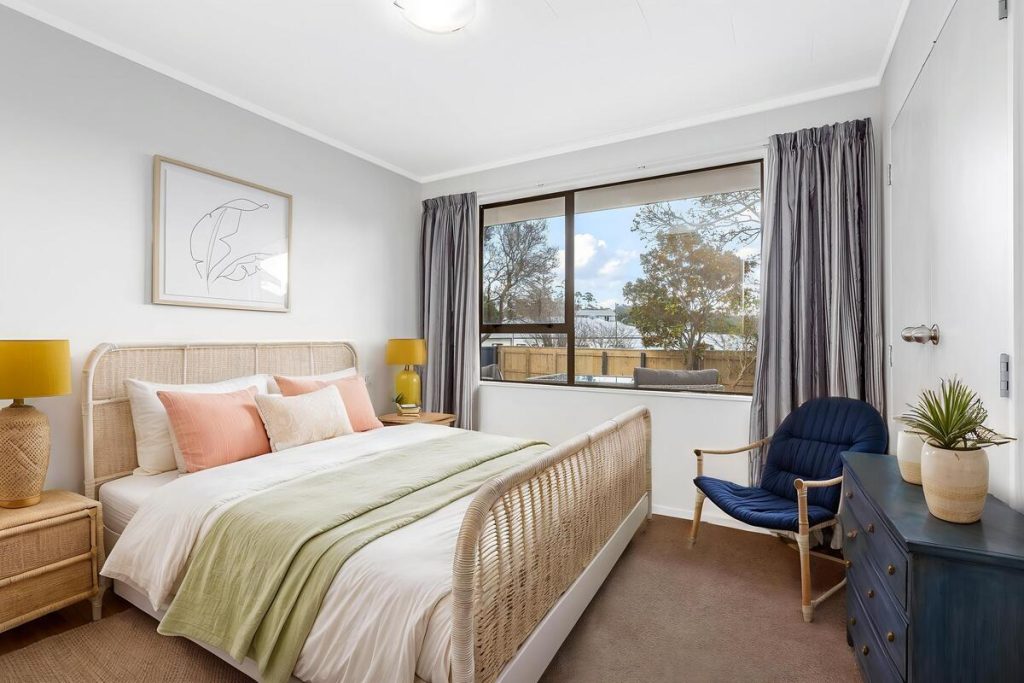
A modern loft and a suburban colonial call for different staging. Tools with a wide style library, covering modern, traditional, coastal, and farmhouse looks, let agents match furniture to the property and the buyers it’s meant to attract.
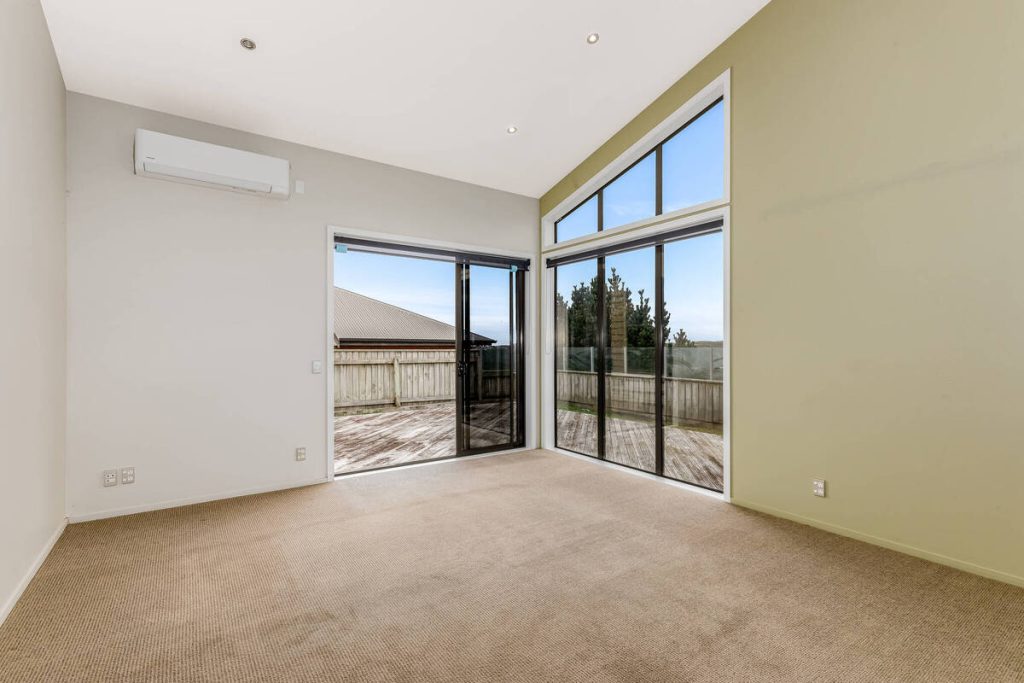
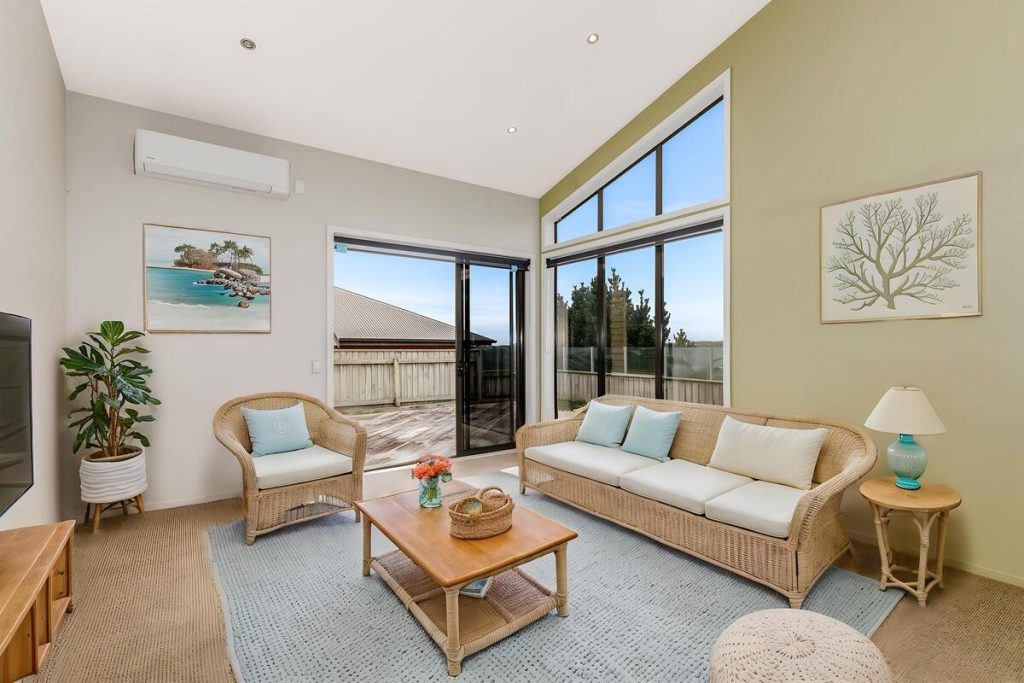

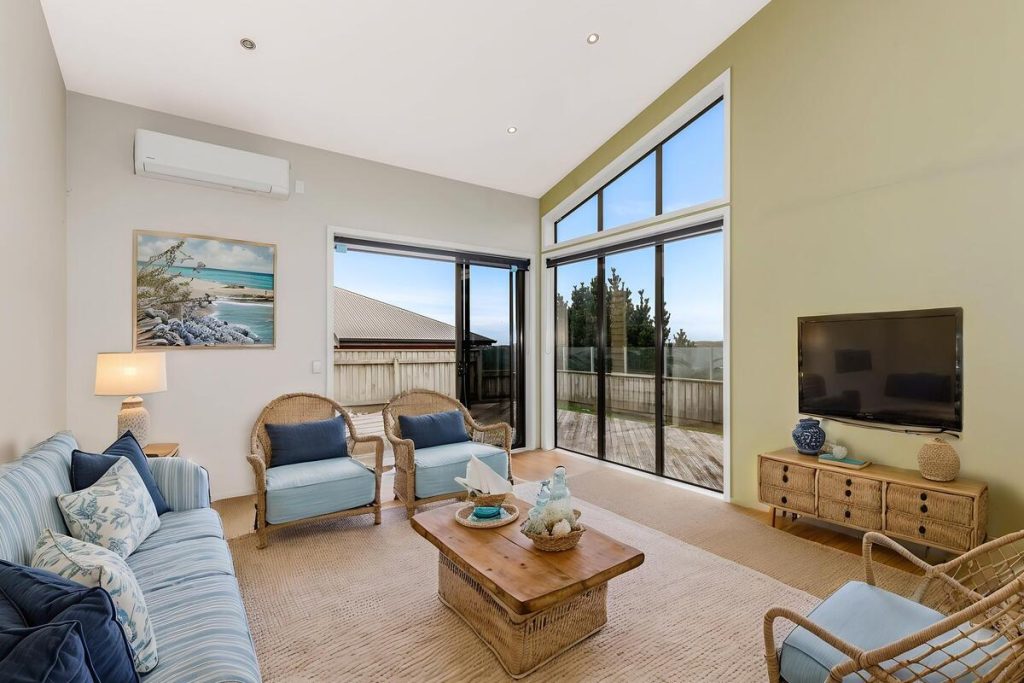
A narrow library forces the same look onto every listing. That stops feeling like staging and starts looking like a filter.
MLS compliance and easy disclosure
Most MLS systems require staged photos to be labeled, either in the caption or with an on-image watermark, and the original unstaged photo should stay available, according to Homes.com’s guide to virtual staging rules.4 NAR’s Code of Ethics backs this up directly: Article 12 requires agents to present a true picture in all advertising.
A tool that makes labeling and disclosure simple protects the agent from compliance issues down the line. One that ignores it puts the listing, and the agent’s reputation, on the hook.
A simple workflow
Agents aren’t interior designers, and the best tools don’t ask them to be. Upload a photo, pick a style, get a staged image back, ideally from a phone between showings, not a desktop-only process that adds extra steps to an already full day.
The Business Payoff of Choosing the Right Tool
Strong visual presentation sells listings faster. ReSimpli’s research on real estate marketing found that listings with professional, high-quality photos sell up to 32% faster, and virtual staging alone can lift buyer interest by 30%.5
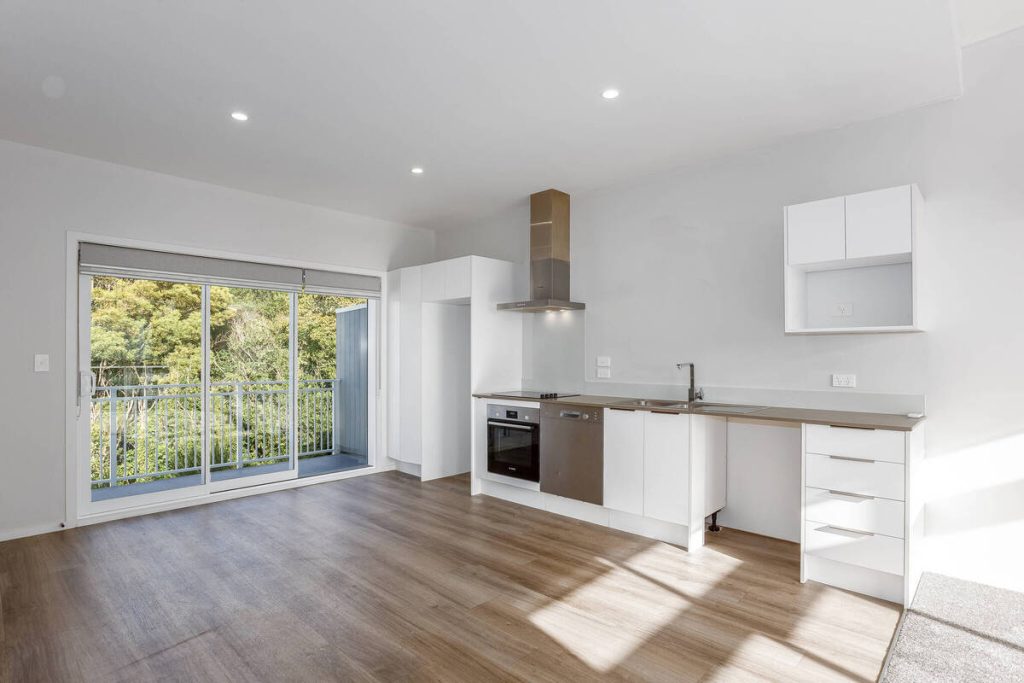
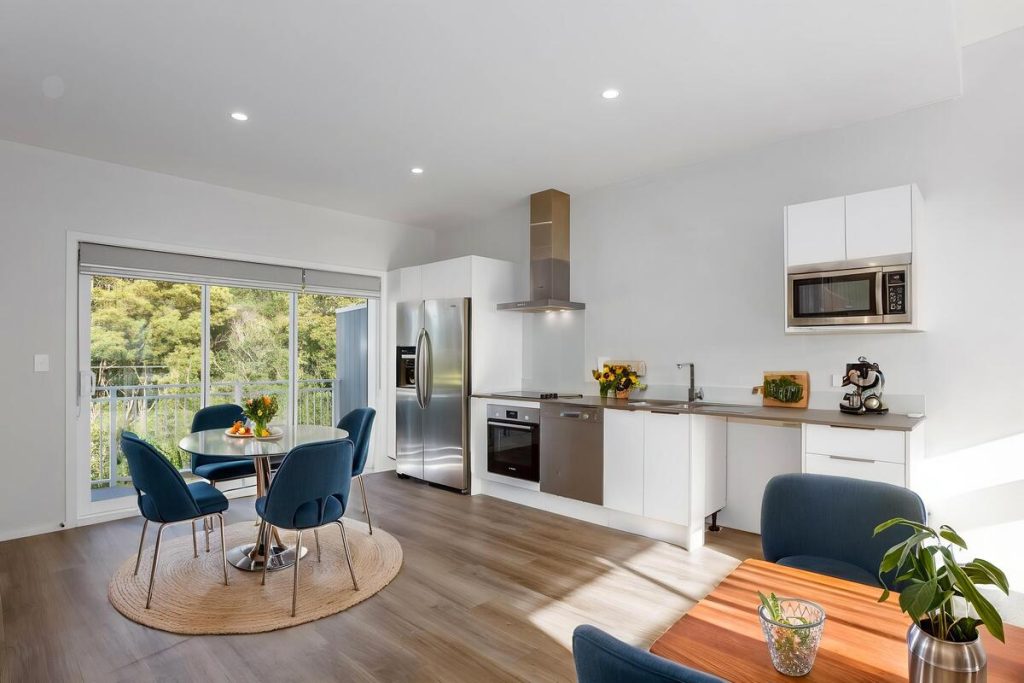
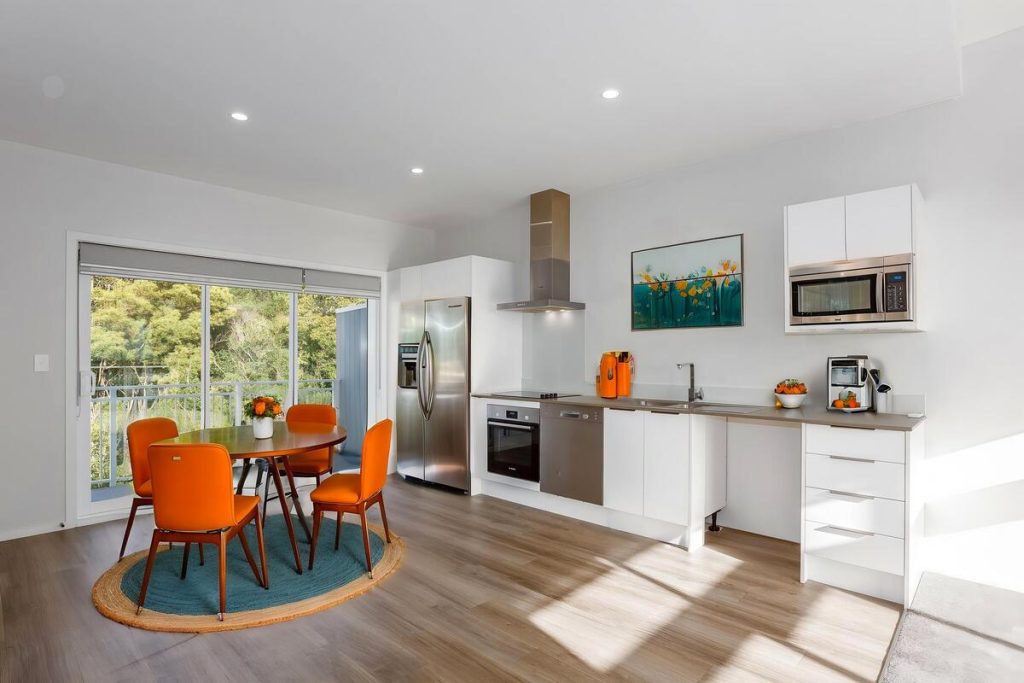
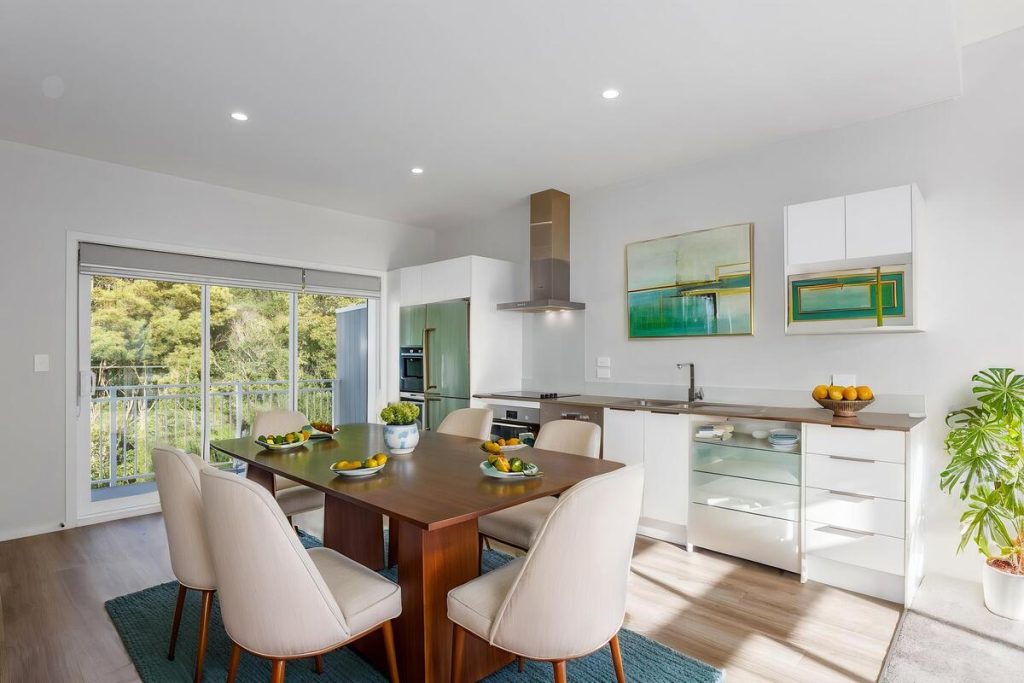
Cost savings add up too. Traditional staging means renting furniture, booking movers, and working around a stager’s schedule. AI staging replaces all of that with a per-image cost that’s a fraction of the price, without losing the visual impact that gets buyers to click into a listing. Some agents save hours each week just by cutting the back-and-forth that traditional staging requires.
Consistency is the other piece. An agent staging ten listings a month needs every one to look market-ready, not just the listings with budget left over for a professional stager.
How to Evaluate a Virtual Staging Tool Before You Buy
A few questions cover most of what matters before signing up for any AI virtual staging tool:
- Ask for a sample on one of your own listing photos, not a stock image the company already optimized for.
- Check the real per-image cost, including subscription minimums or revision fees.
- Confirm the tool supports MLS-compliant labeling and keeps your original photos on file.
- Time an actual turnaround, from upload to finished image, not just the marketing claim.
- Check the style library covers the range of properties you list, not just one aesthetic.
Where AgentUp Fits
AgentUp was built to be the best AI virtual staging option for agents who need results fast. Pricing starts at $5 per image, with results delivered in seconds, and new accounts get one staged image free to test the quality before committing to more.
Quick & Easy
AI Virtual Staging
Interiors. Landscapes. Commercial. Virtually transform any space.
Staging runs from the AgentUp web platform or the iOS app, so an agent can stage a vacant listing from a phone right after a showing, and the image syncs to the account automatically. It’s built alongside AgentUp’s other listing tools, including single property websites, virtual tours, and flyers, so staged photos plug directly into the rest of the marketing.
For a closer look at how AgentUp stacks up against other AI staging apps, see our breakdown of the best virtual staging AI apps.
If a vacant listing needs to go live this week, start with a free staged image and see how it holds up against your own photos. Try AgentUp’s AI virtual staging.
References:
- NAR Report Reveals Home Staging Boosts Sale Prices and Reduces Time on Market
- Virtual staging: The best apps for 2026 + mind-blowing AI picks
- The 6 Best Virtual Staging Software & Virtual Staging Guide in 2026
- Virtual home staging for agents: Rules on altering real estate photos
- 89+ Real Estate Marketing Statistics: Key Trends to Watch (2025)