


Real estate photo editing AI makes it simple to quickly and affordably remove distracting objects from listing photos.
Unwanted items and personal belongings can draw attention away from the home itself. With AI-powered editing, agents can create cleaner, more polished images that highlight the property’s best features.
This post will guide you step by step through the process of removing objects using real estate photo editing AI tools.
First, let’s understand the value of object removal in real estate photos.
The Value of Object Removal in Real Estate Photos
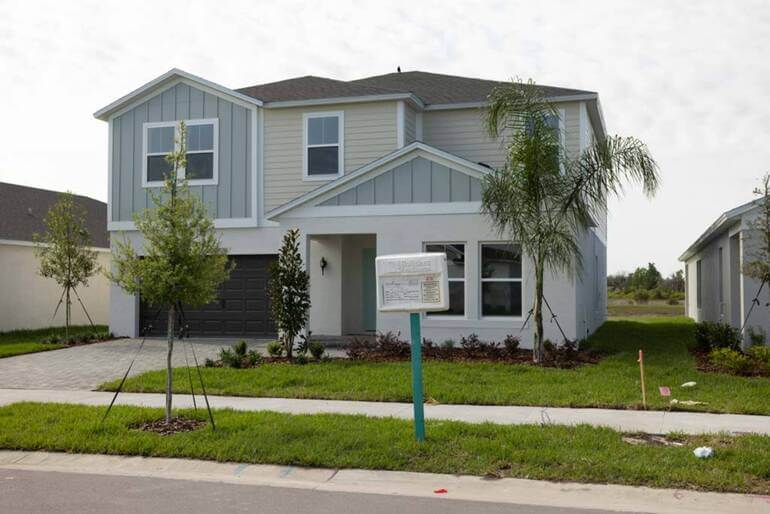

AI object removal in real estate photo editing can quickly eliminate yard clutter, improving listing photos and making properties more appealing to potential buyers.
Object removal is a valuable tool in real estate photo editing, helping remove distracting and unsightly objects from listing images.
Even a well-maintained and stylishly decorated home can photograph poorly if stray items draw attention away from the space itself.
To illustrate this point, here are some common objects removed from real estate photos:
- Trash cans and storage tanks
- Power cords and computer wires
- Cars in the driveway or on the street
- Cleaning supplies, such as a broom
- Personal items such as mail, photos, and toiletries,
- Children’s toys or pet bowls
- Yard clutter and lawn debris
Any of those objects can make a property feel less refined and less inviting. It’s also important to note that the goal of object removal is not to deceive buyers or misrepresent the condition of a property.
Rather, it is to eliminate temporary distractions that do not define the home and that can prevent buyers from appreciating its actual features.
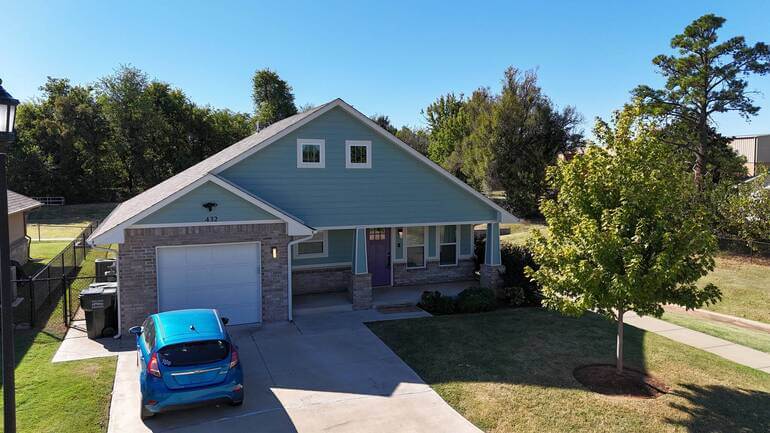
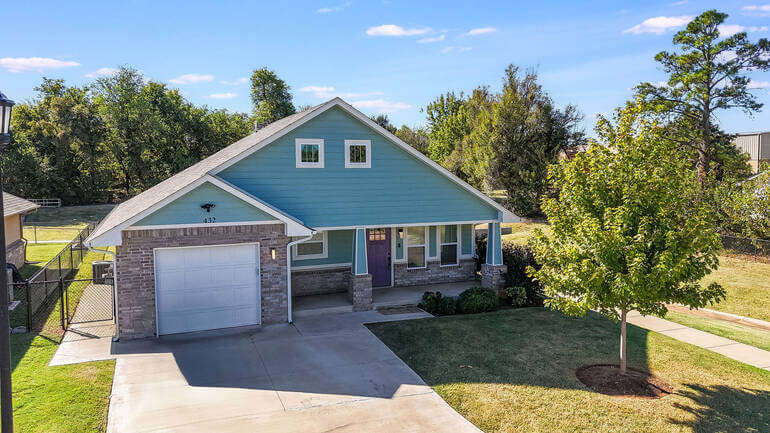
Using real estate photo editing AI for object removal can help create cleaner listing photos, keeping the focus on the home’s features rather than distractions.
Overall, object removal can improve listing photos by helping to:
- Eliminate visual clutter that makes spaces feel cramped or chaotic
- Create a cleaner and more professional presentation online
- Keep attention on the home’s architectural details and finer selling points
- Improve first impressions in MLS listings, social media posts, and marketing materials
- And support a more consistent photo gallery across the entire listing
The quality of your images matters because buyers form opinions within seconds of viewing online. If the images are unappealing, buyers will scroll past before ever scheduling a showing.
Object removal yields compelling images, something to consider when trying to win over skeptical home buyers.
Another way to understand the value of object removal in real estate photography is to consider the top reasons agents request it.
Let’s dive into 5 of these reasons more deeply.
Top 5 Reasons for Object Removal in Real Estate Photos
Here are the 5 top reasons real estate sales professionals request object removal for their listing photos.
1. Decluttering for Cleaner Images ✨
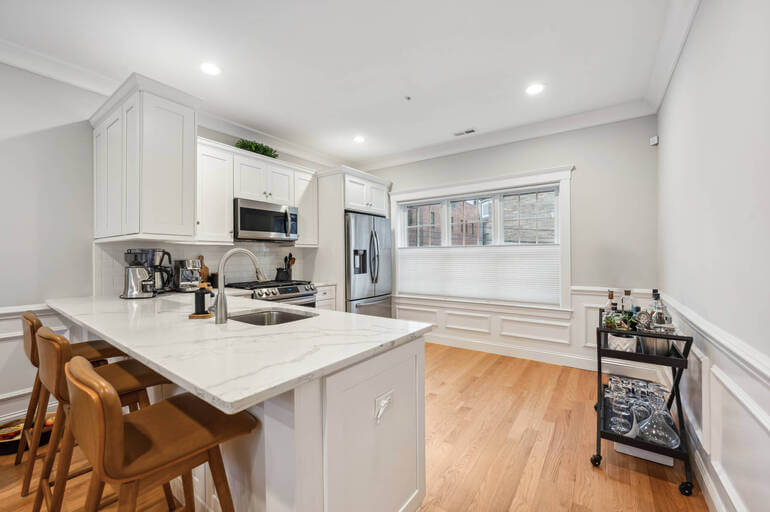
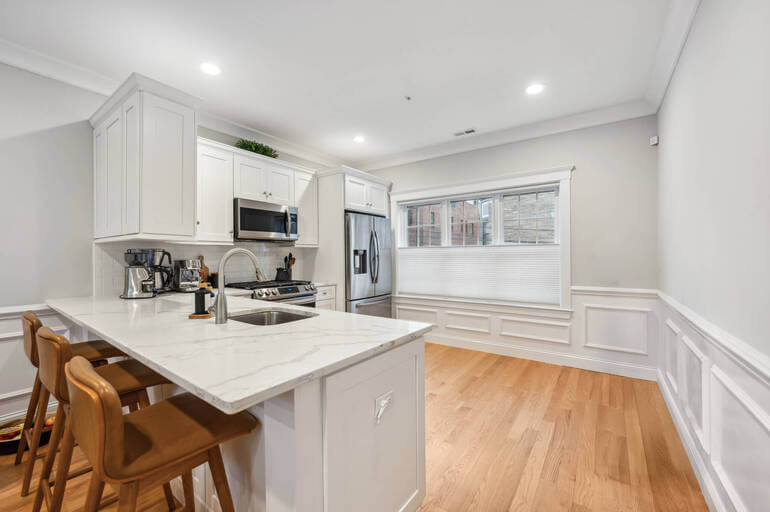
AI object removal in real estate photo editing declutters listing photos, allowing buyers to focus on the room’s best features and creating a more inviting space.
By digitally removing everyday clutter, agents can direct buyer attention to the features that matter most rather than to distractions scattered throughout the room.
Common items often removed include:
- Children’s toys and play items
- Small kitchen appliances
- Cleaning products and supplies
- Holiday décor and storage containers
This simple editing step can make almost any room appear larger and more polished.
Cleaner images create a stronger first impression and help buyers imagine the property at its best.
2. Create Neutral Spaces That Buyers Can See as Their Own 🏠︎


Object removal through AI photo editing helps create neutral spaces in listing photos, allowing buyers to envision themselves in the home.
After clutter is removed, the next step is minimizing highly personal items that may distract from the property itself.
While those objects may matter to the current owner, they can make it harder for buyers to connect with the space.
Personal items commonly removed include:
- Family photos, diplomas, and awards
- Religious objects such as crosses or prayer items
- Political signs, flags, or bumper stickers
- Sports collections, hobby supplies, or niche décor
- Cultural or highly specific decorative pieces
Neutralizing a space does not mean making it cold or lifeless. The goal is to preserve warmth and character while removing details that feel too personal.
This allows the home’s strongest features to stand out and helps more buyers see themselves living there.
AgentUp for iOS
AI Real Estate Photo Editing
Try instant AI-powered photo editing with the AgentUp iOS Media App.

3. Make Properties Look More Upscale 😎
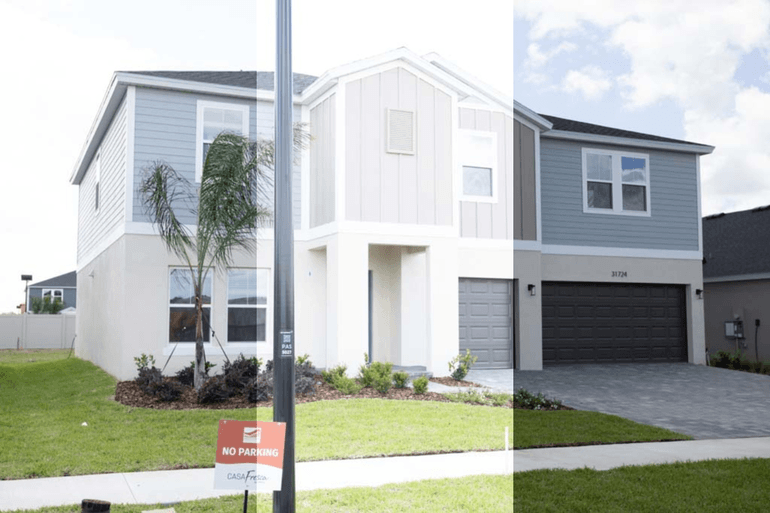
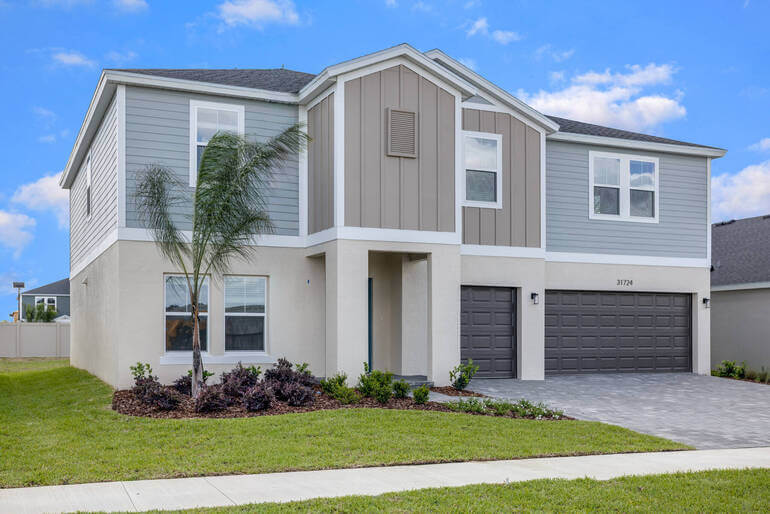
AI-enhanced exposure and object removal work together to produce brighter, cleaner listing photos that stand out online.
Removing unnecessary objects from listing photos results in polished images that can elevate a property’s presentation and make it feel more expensive.
Object removal improves the look and feel of the property by promoting:
- Clear views through rooms and toward windows
- A focus on premium finishes such as flooring, counters, and hardware
- Architectural features like molding, trim, and custom woodwork
- Luxury features, appliances, and craftsmanship
For example, it’s hard to fully appreciate a granite countertop if it’s covered in random objects.
Clean surfaces and open views are essential to a high-end look.
4. To Avoid Traditional Staging Costs 💰


Explore affordable staging alternatives! This AI virtual decluttering example shows how real estate photo editing AI can remove clutter and create appealing listing photos.
Digital object removal offers a more affordable alternative to traditional staging.
Rather than paying for cleaners, contractors, designers, and storage facilities, agents can improve listing photos through targeted object removal.
Using real estate photo editing AI allows for reducing expenses by:
- Eliminating the need to pay a stager
- By passing the need for laborers and movers
- Reducing added costs tied to delivery, storage, and setup
- And removing personal or seasonal items without major prep work
Object removal creates staged images that make a property more appealing without the expense of full physical staging.
5. Help Listings Stand Out 💥


Enhance your listing photos with real estate photo editing AI! Object removal helps eliminate distractions, focusing attention on the property’s features and making it stand out.
Clutter-free images draw attention to the home’s strongest features and help buyers focus on the property rather than distractions.
Object removal offers the following visual advantages:
- Captivating images that attract attention online
- Rooms that appear brighter, larger, and more inviting
- Clarity concerning the function of a space or room
- Removing damaged items that distract from winning features
When photos look clean, bright, and well-prepared, they are more likely to capture attention and stand out from competing listings.
So, now you understand the value and purpose of object removal in real estate photography.
Next, we’re going to use one of the top 5 AI real estate photo editing apps available today to demonstrate how to remove unwanted objects quickly and with minimal fuss.
AgentUp for iOS
AI Real Estate Photo Editing
Try instant AI-powered photo editing with the AgentUp iOS Media App.
AgentUp AI Photo Editing: Object Removal Step-by-Step Guide


AI object removal in real estate photo editing streamlines listing photos by removing visual distractions like this yard sign, making properties look more appealing to potential buyers.
AgentUp Editing AI is the number one app available today, used by thousands of agents, and designed to be user-friendly and deliver high-quality results.
The app is intuitive and takes less than a minute to learn.
Here are the steps to removing an unwanted object:
Step 1: Download the AgentUp AI Photo Editing App
First, download the AgentUp Editing AI app from your app store, or scan the QR code below. It’s free, and the process takes less than a minute:

Step 2: Type in the Property Address & Upload Your Photos
Next, name your file by typing in the listing property address.
Then, upload the existing images from your phone using the Add Photo function.
Step 3: Select the Photos You Want to Edit
Once your photos are uploaded, select the photo or photos you want to edit from the Gallery.
Tap on the photo to select it for editing. Then, from among the Order Options, select the menu item for common edits, then Object Removal.
To indicate the object to remove, type your instructions into the Order Notes box.
For example, you could ask the AI real estate photo editing app to do the following:
- Remove a stray hand towel
- Eliminate items from a counter-top
- Clean up leaves and branches on a lawn
- Or, remove cords, wires, or cables
You can adjust your instructions as you go until the images are to your satisfaction.
Step 4: Download Your AI-Edited Photos
The AgentUp AI photo editing app processes your images in around 5 minutes. Keep in mind, it might take slightly longer for batched or large orders.
Your listing photos are now ready to use on the MLS, across social media platforms, and in other marketing materials.
Other Advantages of Using AgentUp Real Estate Photo Editing AI
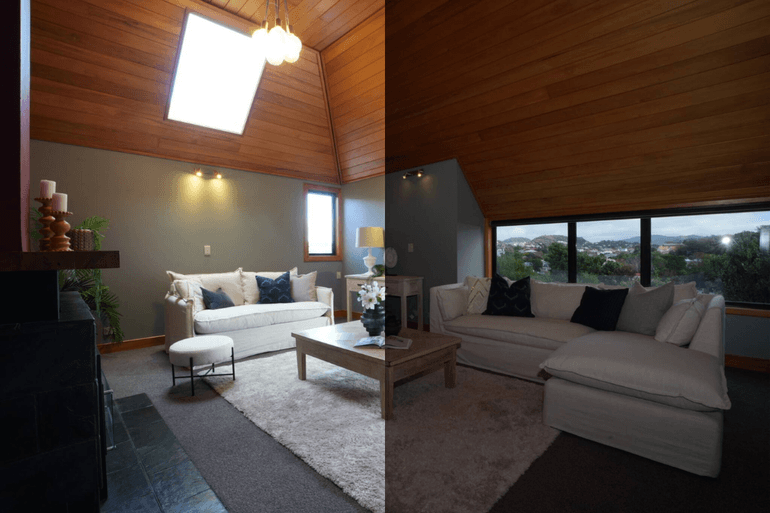

Advanced AI photo editing instantly brightens the wood tones and corrects the window views, creating a warm, vibrant atmosphere that captures a buyer’s imagination.
In our fast-paced market, buyers decide within seconds whether a home is worth a closer look with an in-person showing.
Compelling listing images can drive more clicks, more showings, and more offers.
AI photo editing can do much more than just object removal. The following editing tasks are also available:
- Correcting exposure and lighting issues
- Balancing color balance and enhancing clarity
- Straightening lines and correcting perspective
- Replace a dull, cloudy sky with a dramatic twilight effect
- Add a fire to an empty fireplace
- And much more!
Moreover, AgentUp’s AI photo editing doesn’t just improve your images; it offers the following benefits:
- Instead of spending hours on manual photo corrections, agents can complete key enhancements in just minutes, achieving time savings of up to 90%
- Batch editing allows users to improve multiple similar images simultaneously, making the process faster
- The app includes one complimentary sky replacement
- Users also have access to AI virtual staging with five different style options
For photos that require more precise adjustments, the app also offers access to professional editors who can provide detailed manual retouching.
Rather than devoting hours to manual corrections or waiting several days for completed edits, AI photo editing allows you to create market-ready listing images with greater speed and at a lower cost.
For brokerages and agents, this also means a faster, more efficient workflow, which supports overall business streamlining.
Innovative, Affordable Real Estate Marketing Tools
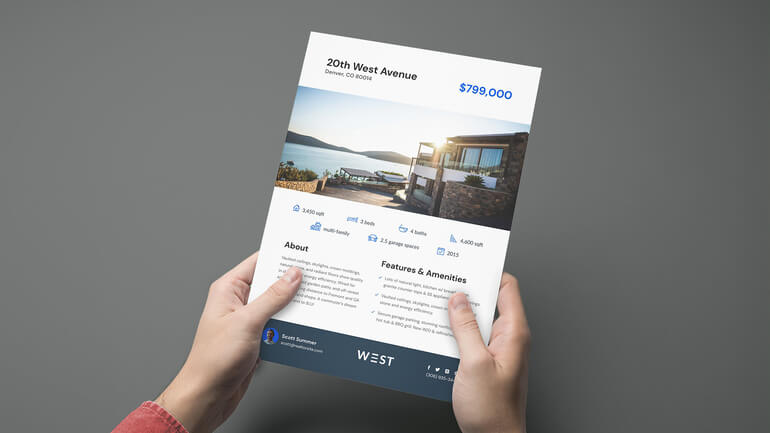
AgentUp offers you more than just AI photo editing. Our cutting-edge development team has created other powerful, real estate marketing tools, such as:
Do yourself a favor and discover how to elevate your marketing without exceeding your budget.
Sign up for a free AgentUp account to learn how we can help you sell more listings and expand your business.
We hope you found this blog post on using real estate photo editing AI to remove objects seamlessly helpful.