


Learn how to order AI photo editing with the AgentUp iOS app in this quick video guide.
This 1-minute video shows you how to place an order from your phone. You will learn how to upload property photos, choose edit options, review your order, and check out.
AgentUp helps real estate agents improve listing photos faster. You can upload photos, add notes, and order edits directly in the iOS app.
How to Order AI Photo Editing Step by Step
Follow these steps to place your order in the AgentUp app.
| Timestamp | Step Description |
|---|---|
| 00:00:04 | Open the AgentUp app and tap AI Photo Editing. You can also tap the plus button at the bottom of the app. |
| 00:00:10 | Enter the property address. Then tap Select Photos to choose images from your device. |
| 00:00:20 | Tap the order options icon in the top-right corner. You can choose edits such as sky replacement, cord removal, fireplace fire, and TV screen images. |
| 00:00:37 | Add order notes for any special instructions. This helps the editing team understand what you need. Tap Done, then Save and Close. |
| 00:00:45 | Tap the Pro editing options icon for more edits. These include TV images, fireplace edits, lawn patching, object removal, and twilight edits. |
| 00:01:00 | After choosing your edits, tap Done to return to the main order screen. |
| 00:01:05 | Review your order on the Review Order screen. |
| 00:01:09 | Tap Check Out to pay and start the editing process. |
Photo Editing Features in the AgentUp App
The AgentUp iOS app includes editing options for real estate photos. These features help make listing photos look cleaner, brighter, and ready for marketing.
Sky Replacement
Sky replacement improves exterior photos by replacing dull or cloudy skies with brighter options. This can make a listing photo look more polished and inviting.
Fire and Fireplace Effects
Fireplace editing can add realistic fire effects to a room. This helps living rooms, bedrooms, and other spaces feel warmer.
TV Screen Editing
TV screen editing lets you add images to blank TV screens. This simple edit can make a room look cleaner and more complete.
More AgentUp Real Estate Marketing Tools
Need more help with your listing visuals? Explore AgentUp’s AI real estate photo editing services, AI virtual staging, and other real estate marketing tools.
Download the AgentUp iOS App
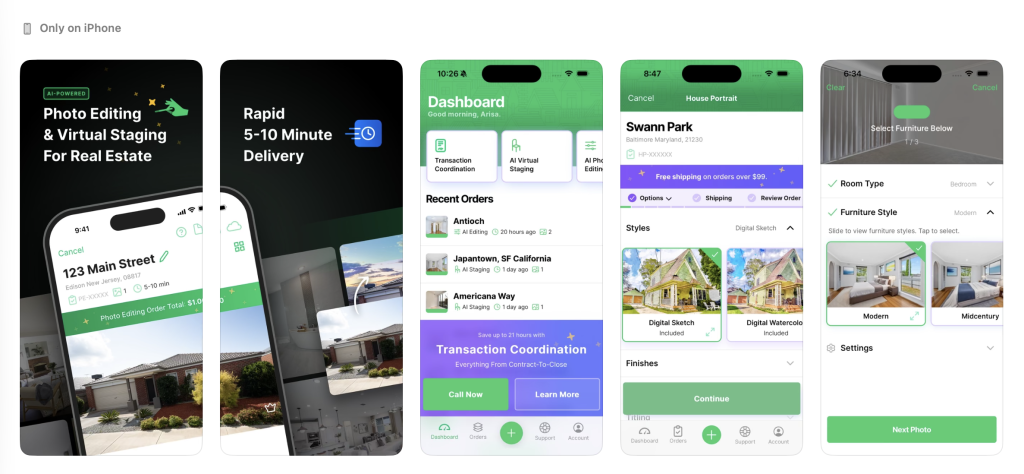
Use the AgentUp iOS app to order AI photo editing, virtual staging, and other real estate marketing tools from your phone. AgentUp makes it easier to prepare listing photos for marketing.
Click here to download the AgentUp iOS app.