


Every listing photo shoot comes with its own set of problems. Some agents work with a professional photographer who handles lighting and editing from start to finish. Others end up with a mix of MLS-required shots, a few phone photos, and edits done under a deadline.
AI photo editing for real estate has become the fastest way to close that gap.
It fixes issues like poor lighting, distorted angles, dull skies, and cluttered rooms without adding hours to the process. This article breaks down the photo problems agents run into most often, how AI editing tools fix each one, and what that means for your listings.
Why Photo Quality Makes Or Breaks A Listing
Buyers judge a home online before they ever set foot in it, and photos are the first filter. According to Redfin, homes listed with professional photos sell up to 32% faster and for $3,400 to $11,200 more than comparable homes with amateur photos.1
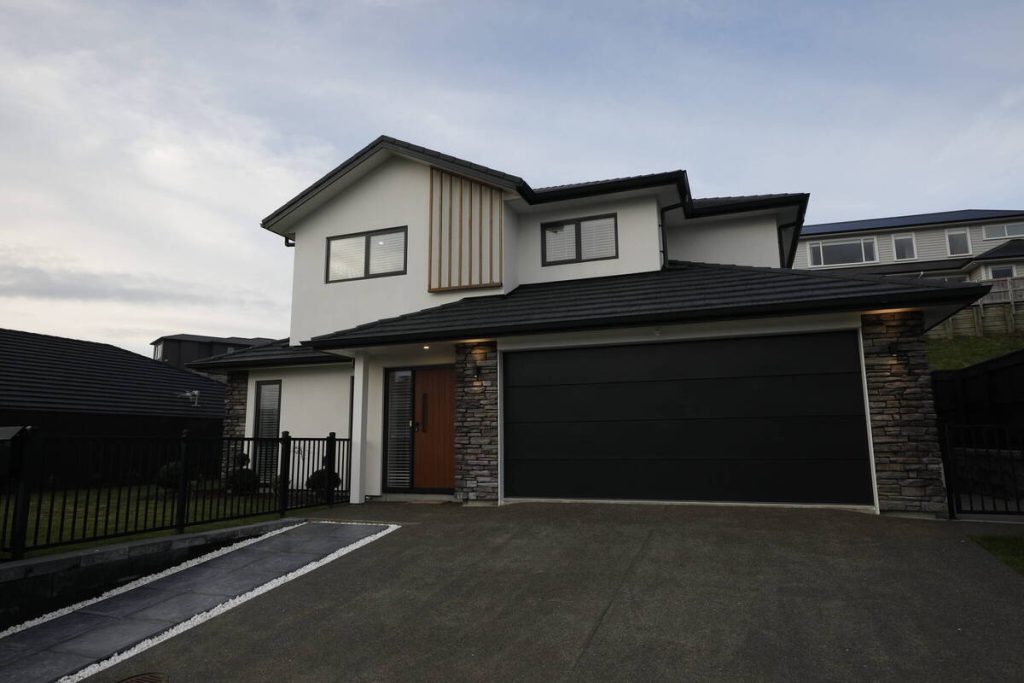
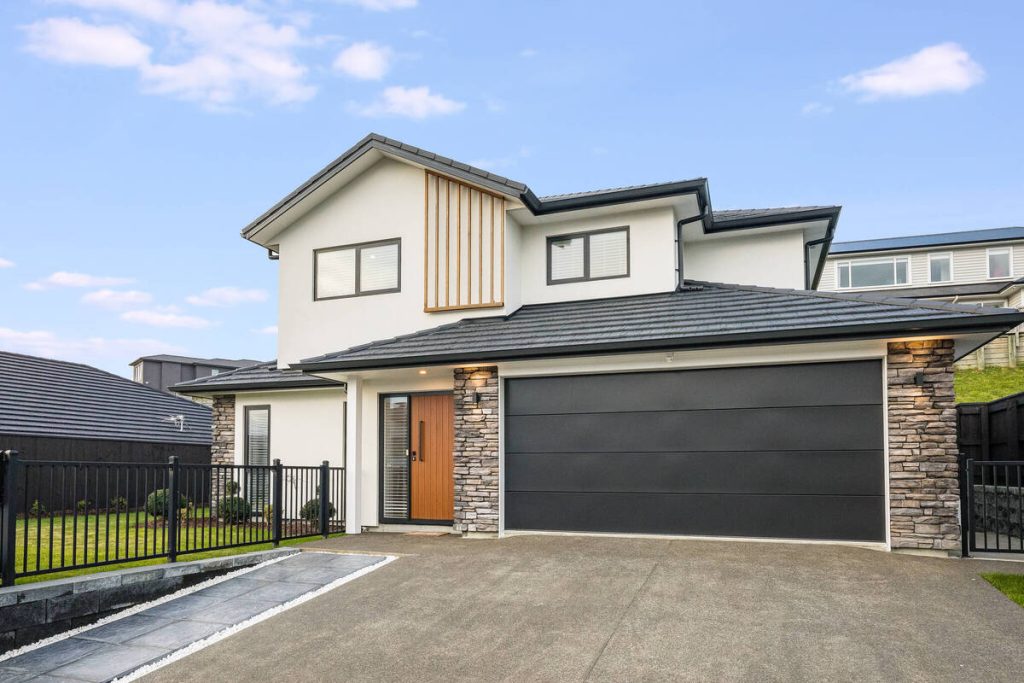
Listings with strong photos also get more traffic. Redfin’s data shows a 118% jump in online views for professionally photographed homes. That’s a big gap to leave on the table over lighting mistakes or a gray sky.
None of this requires hiring a full production crew for every shoot. It just means the photos that go up need to look their best, and that’s exactly where AI editing does the heavy lifting.
The Real Estate Photo Issues Agents Run Into Most
Most of the problems below show up in almost every shoot, regardless of who took the photos. Here’s what they look like and how AI editing handles them.
Uneven or poor lighting
Rooms with mixed light sources, bright windows, and dim corners are hard to shoot evenly. The result is often a photo where the window is blown out white or the room looks darker than it does in person.
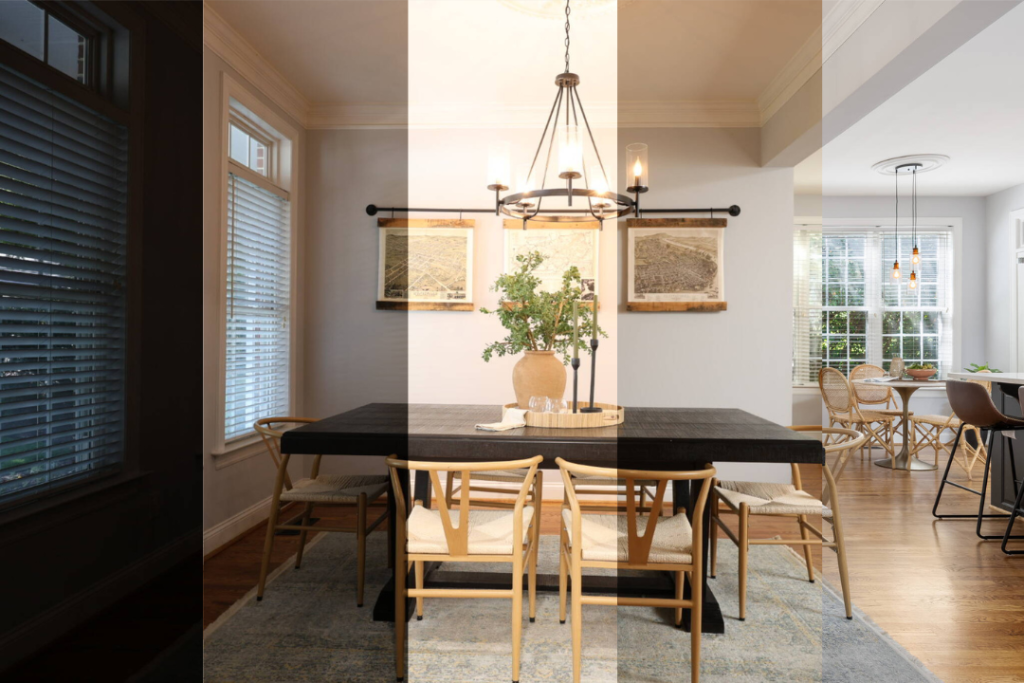
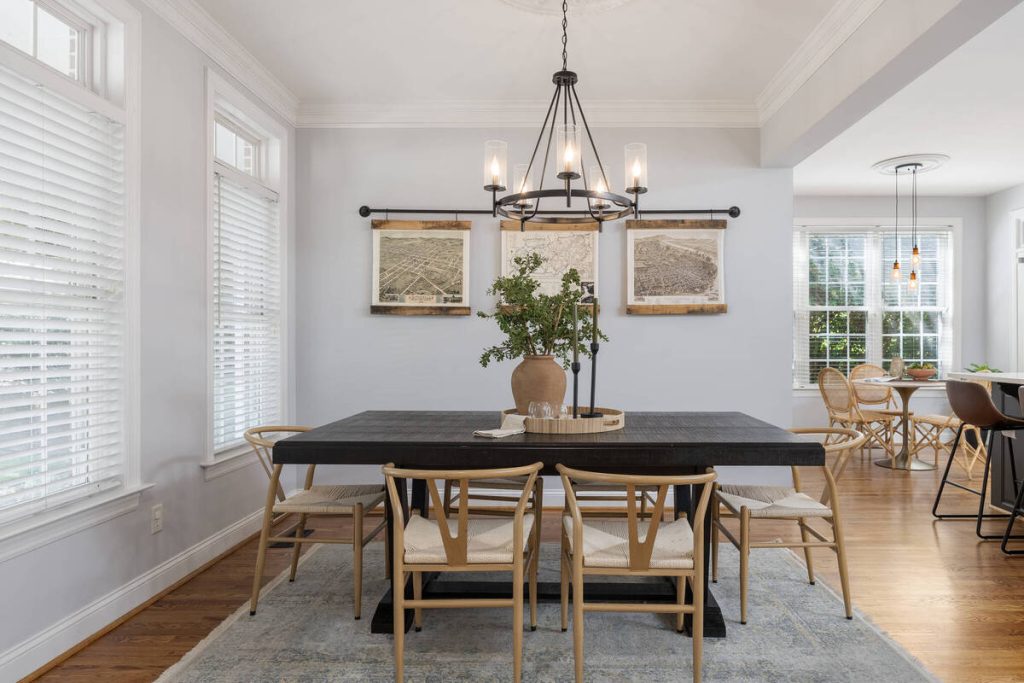
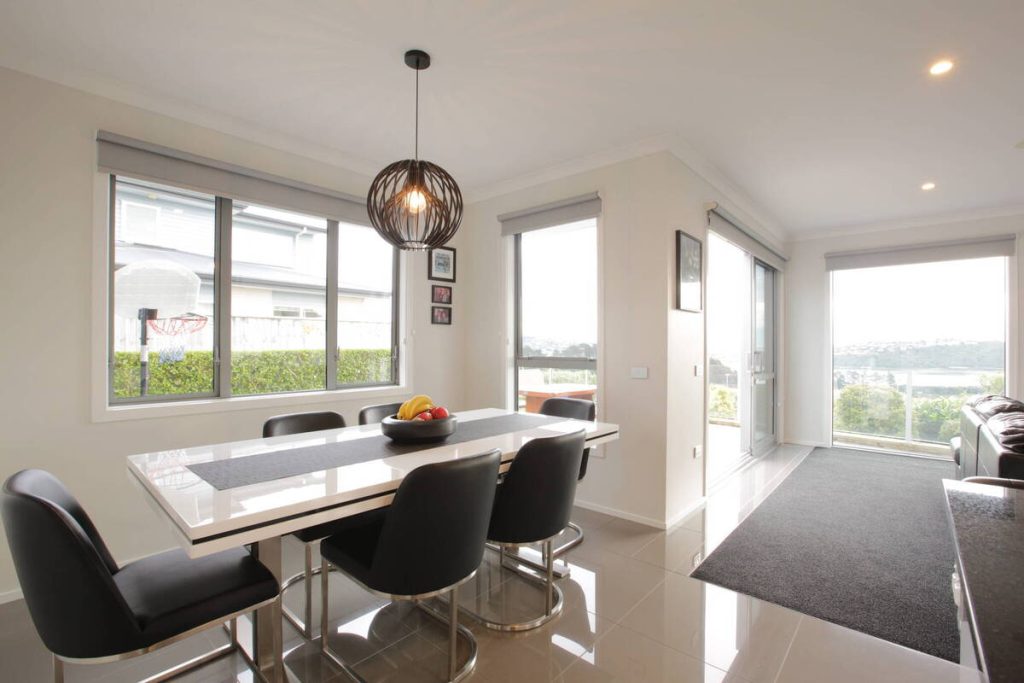
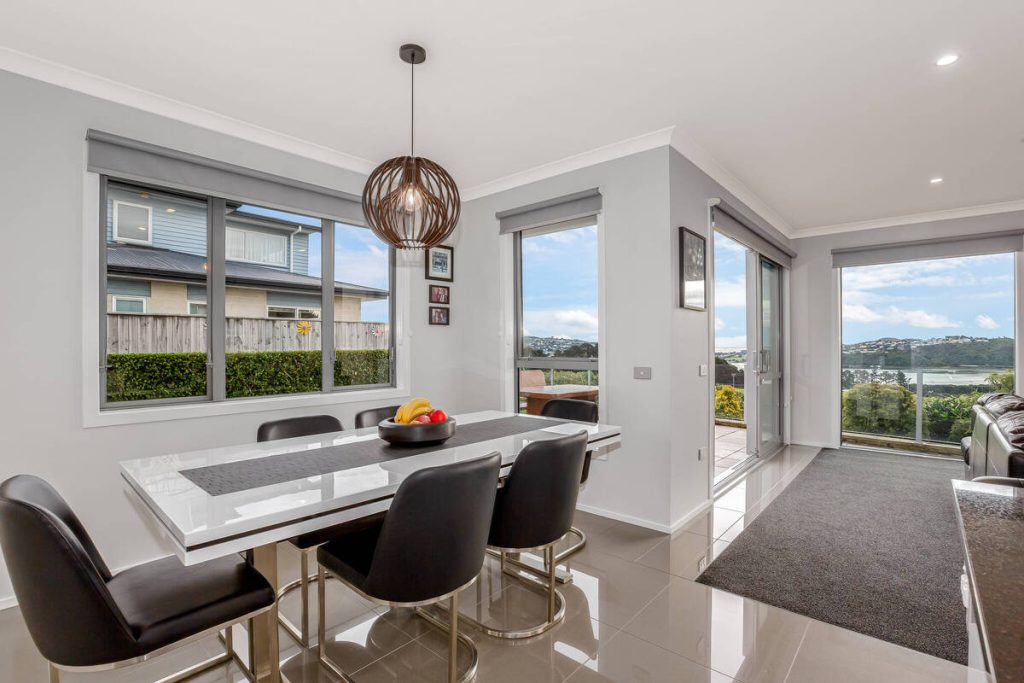
AI editing tools handle this by blending multiple exposure levels within the same photo, brightening shadows and pulling detail back into overexposed windows automatically. The room ends up looking closer to how a buyer would actually see it walking through the door.
Wide-angle lens distortion
Wide-angle lenses are standard for interior shots because they fit more of the room in frame. The tradeoff is distortion: door frames lean, walls curve slightly, and furniture near the edges can look stretched.
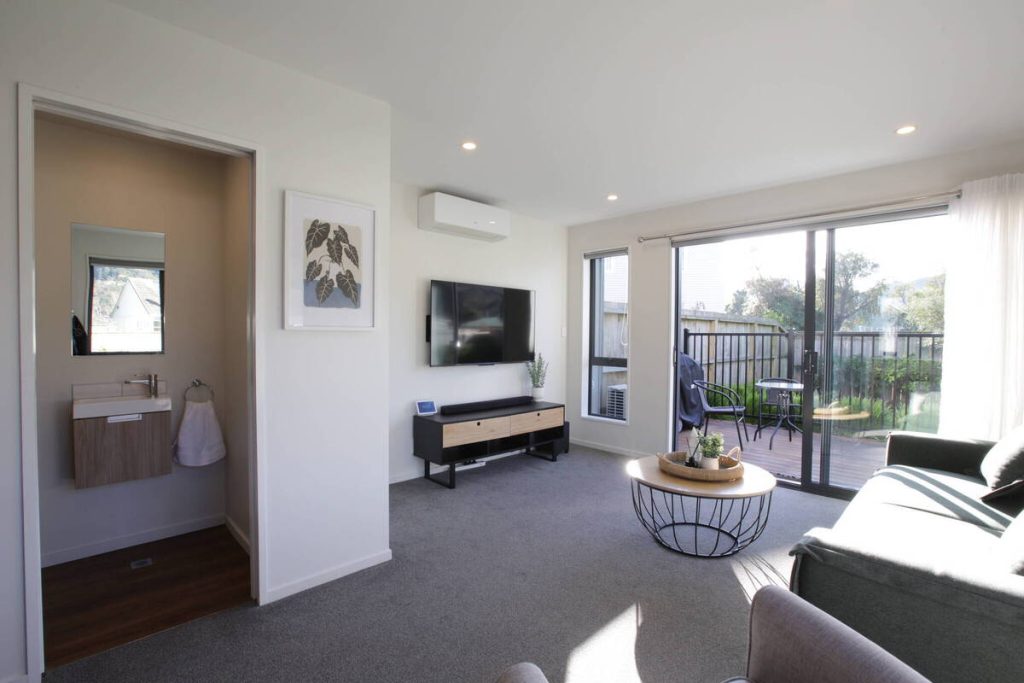
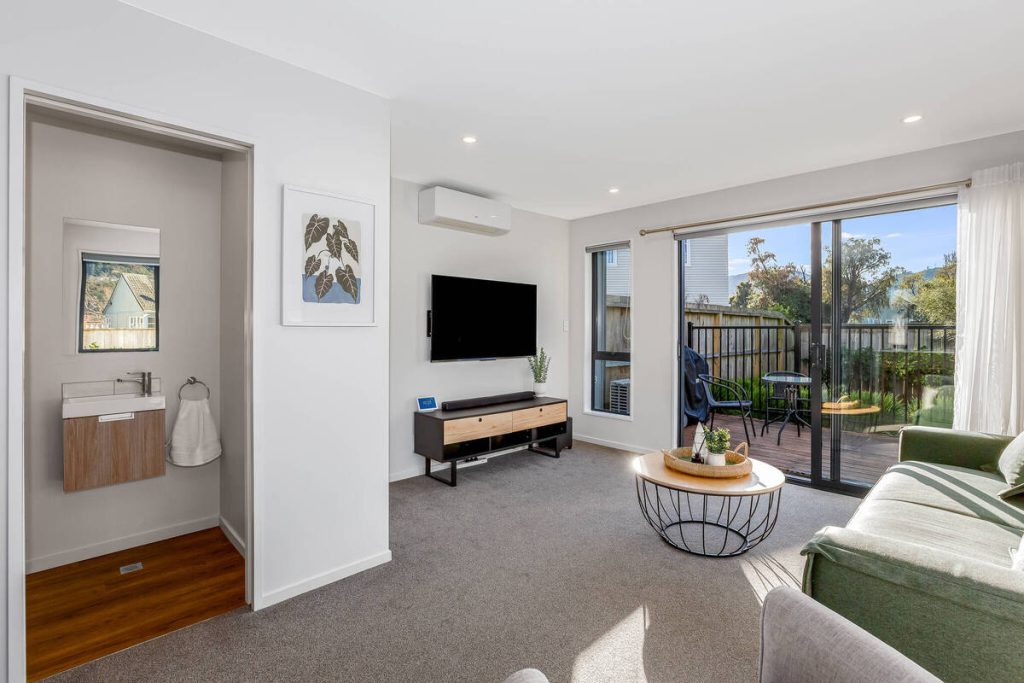
AI correction tools straighten verticals and correct that curve automatically, based on the lens profile used for the shot. Rooms end up looking proportional instead of artificially large or warped.
Dull, gray, or blown-out skies
An overcast day or a washed-out white sky can flatten an otherwise strong exterior shot. It’s one of the most common reasons a curb appeal photo falls flat.
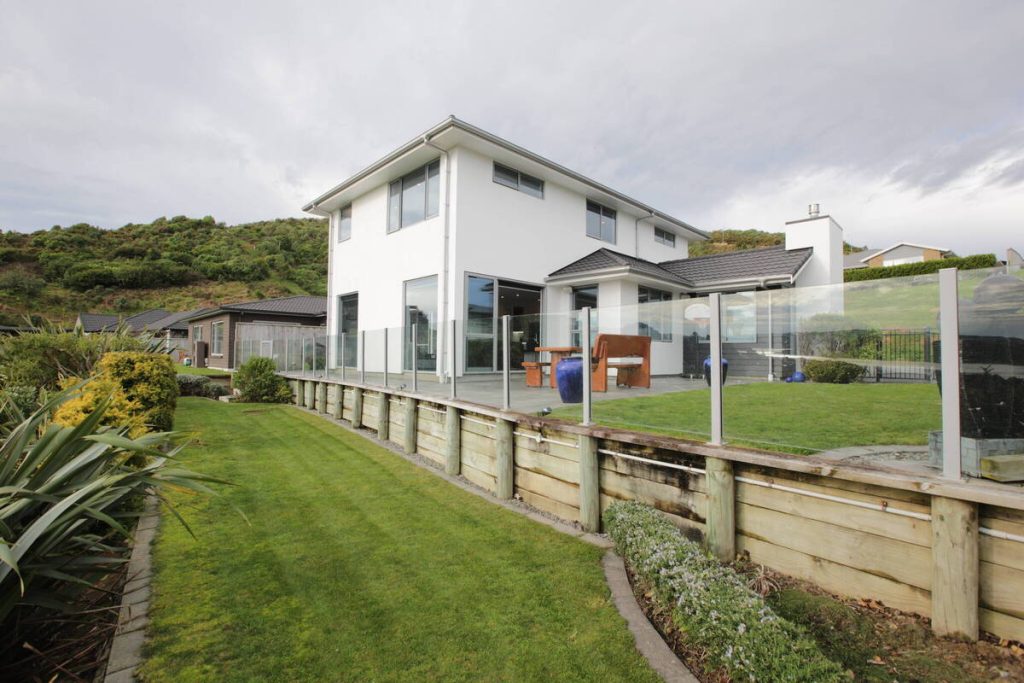
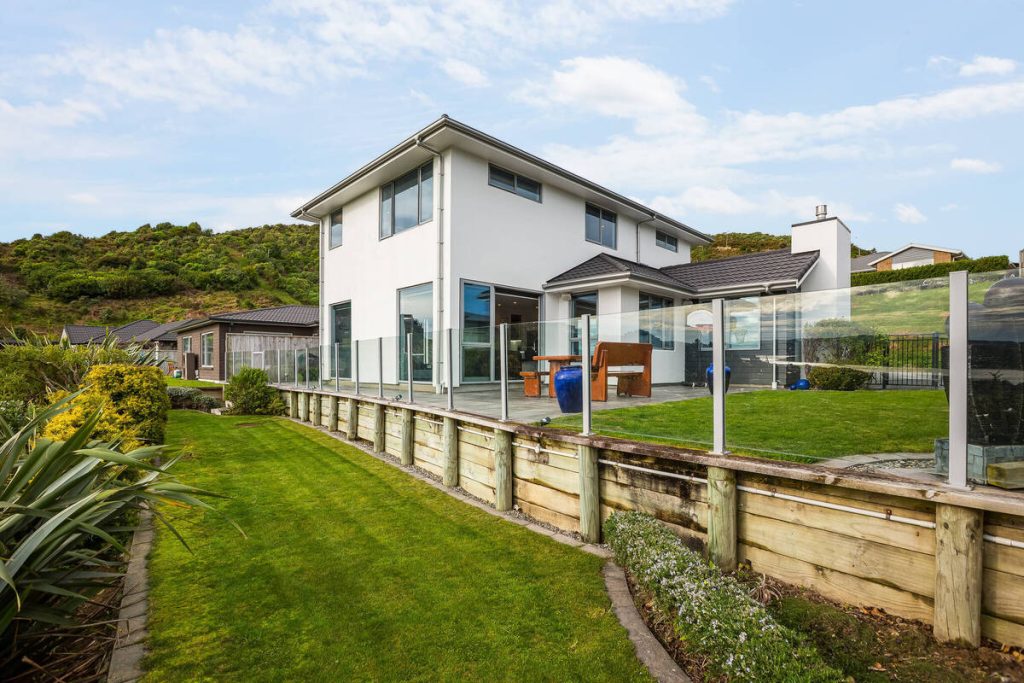
Sky replacement tools detect the sky region in a photo and swap it for a clean blue sky, matching the lighting and color temperature of the rest of the image so the edit doesn’t look pasted in. It’s a small fix that changes how the whole photo reads.
More Clicks. More Showings.
Get Market-Ready Listing Photos Fast
Transform your listing photos in seconds and attract more buyers from the first click.

Clutter and distracting objects
Trash cans, parked cars, cords, and personal items are easy to miss during a shoot and hard to unsee once a buyer notices them in a photo. HousingWire’s roundup of common listing photo mistakes points to clutter and distracting background elements as one of the most frequent complaints from agents reviewing their own listings.2
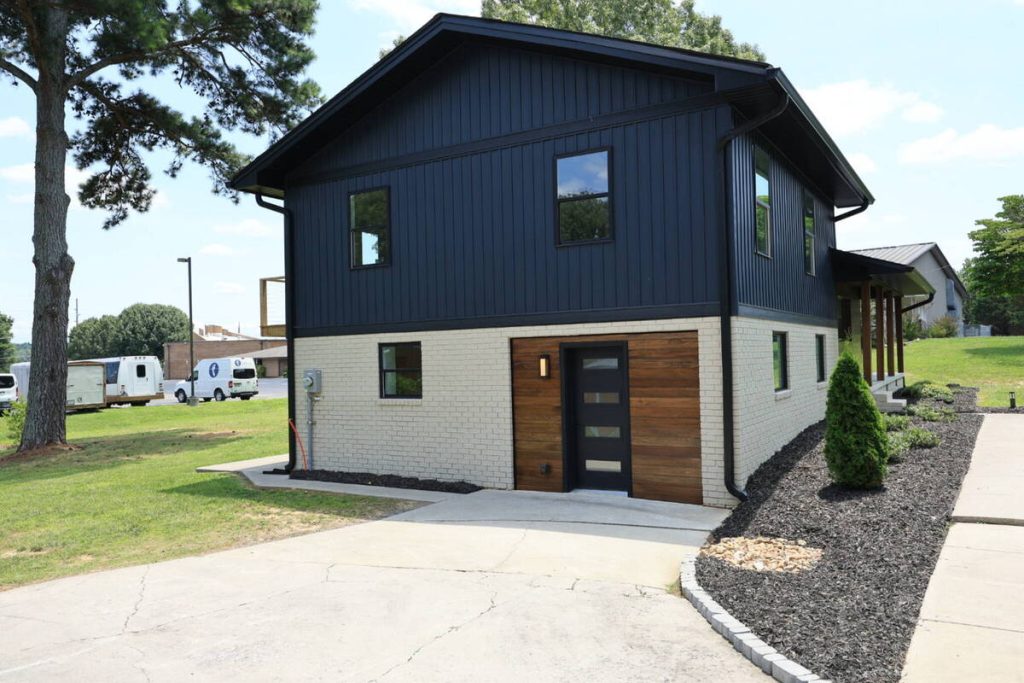
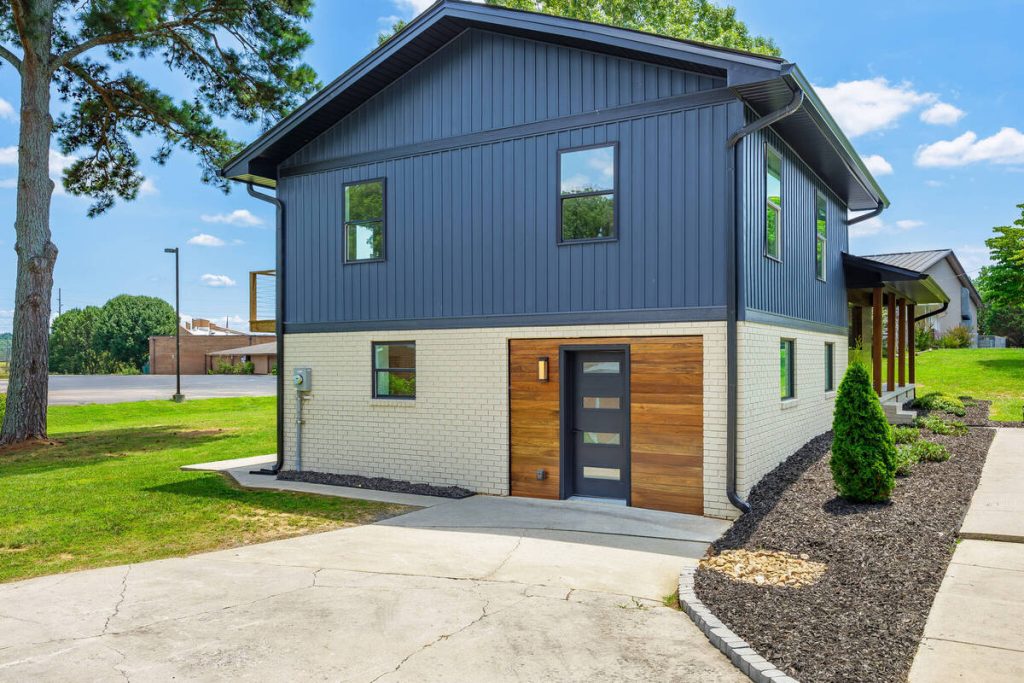
AI object removal tools identify these items and fill in the background using the surrounding pixels, so the item disappears without leaving an obvious gap or smudge. Buyers end up looking at the room instead of the recycling bin in the driveway.
Color casts and inconsistent white balance
Indoor shoots often mix daylight from windows with tungsten or LED bulbs, which throws off the color balance. One room might read slightly yellow, the next slightly blue, even though nothing else changed.
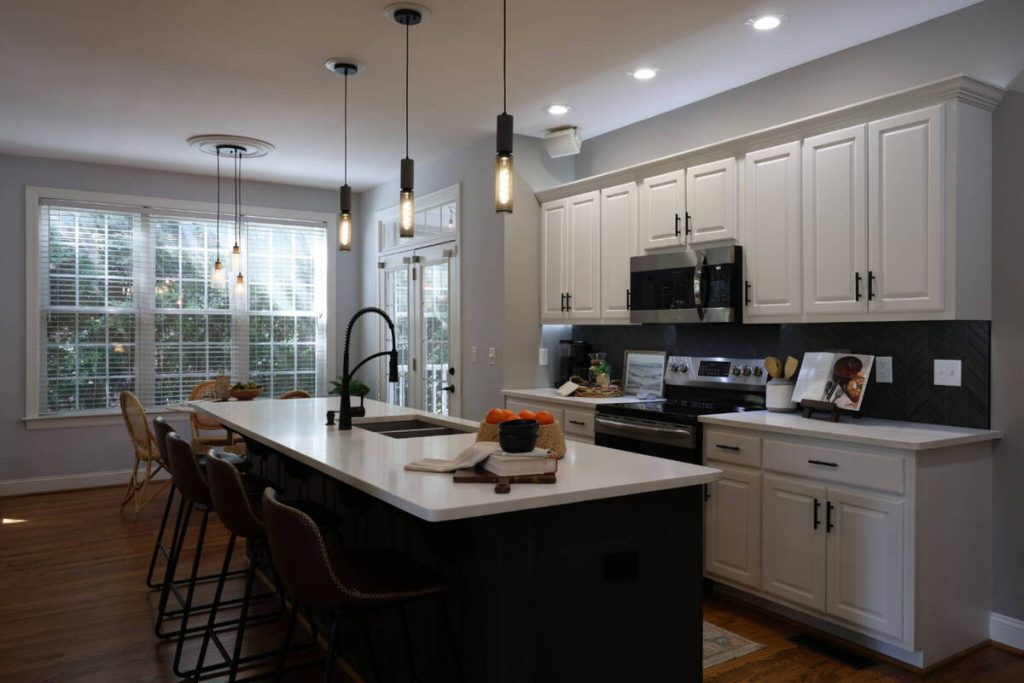
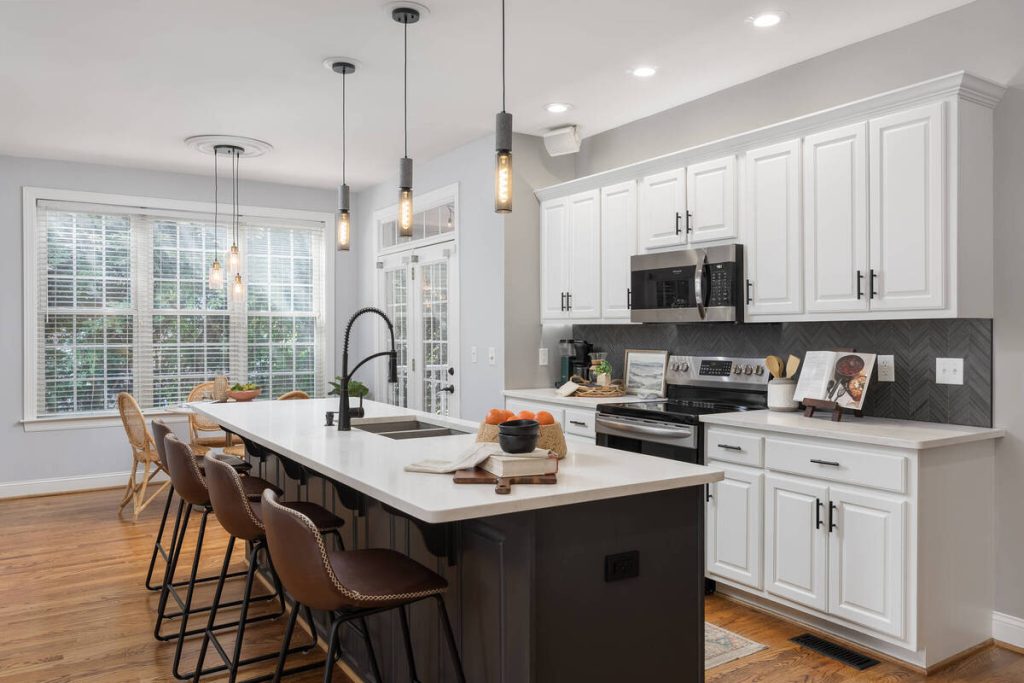
Batch color correction evens this out across an entire shoot in one pass, matching white balance so the whole gallery feels consistent from the first photo to the last.
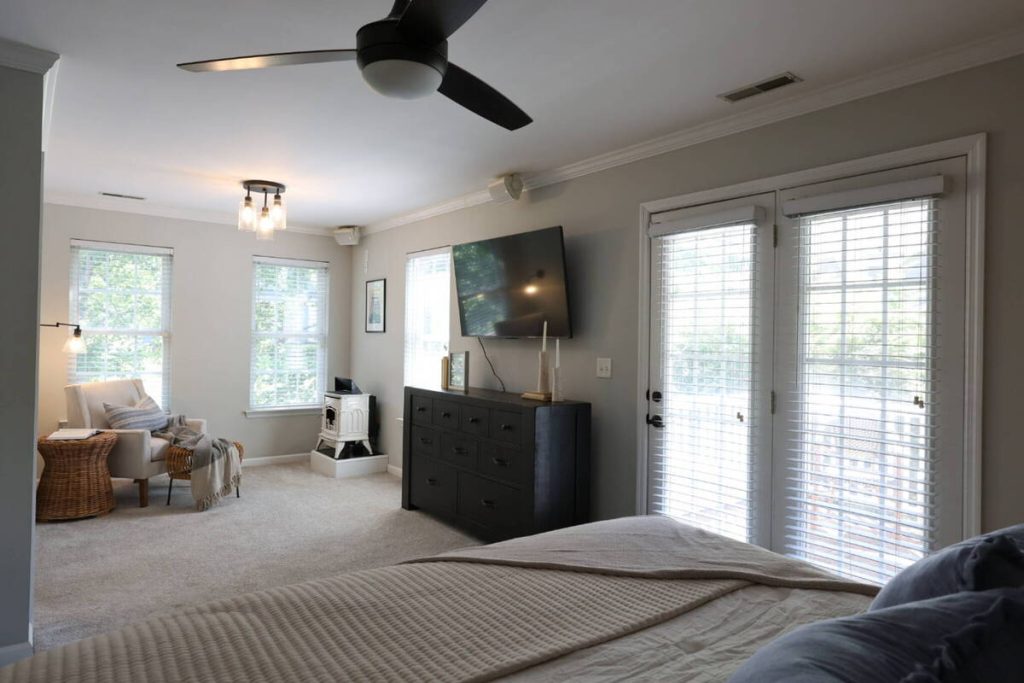
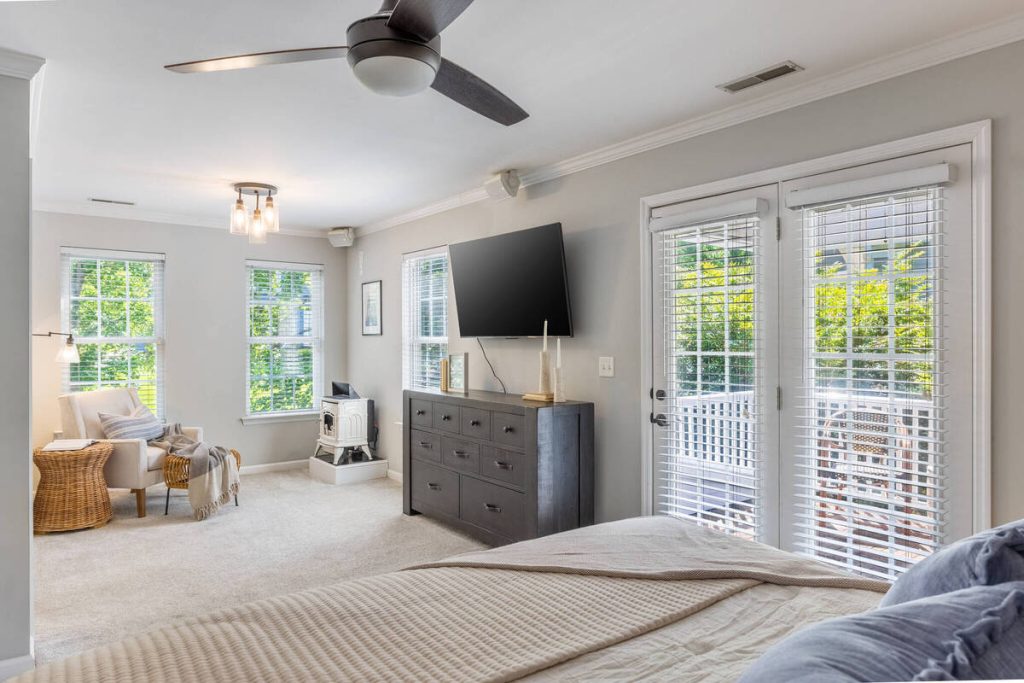
Empty rooms that don’t show well
A vacant room is one of the harder sells online. Buyers have to imagine scale, function, and flow without any furniture to anchor the space, and a lot of them can’t.
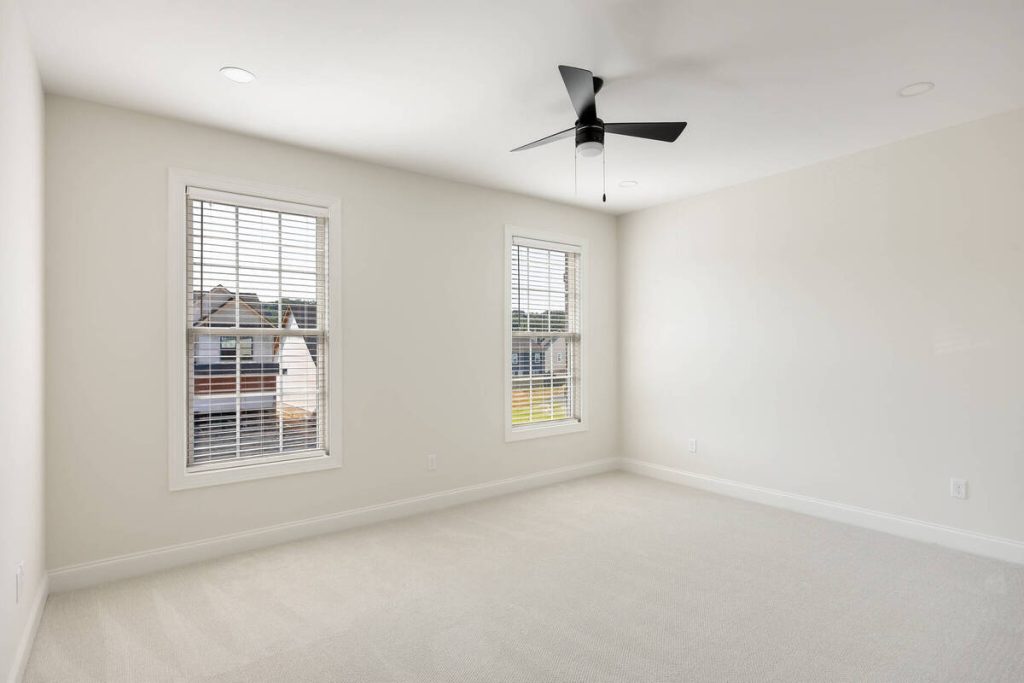
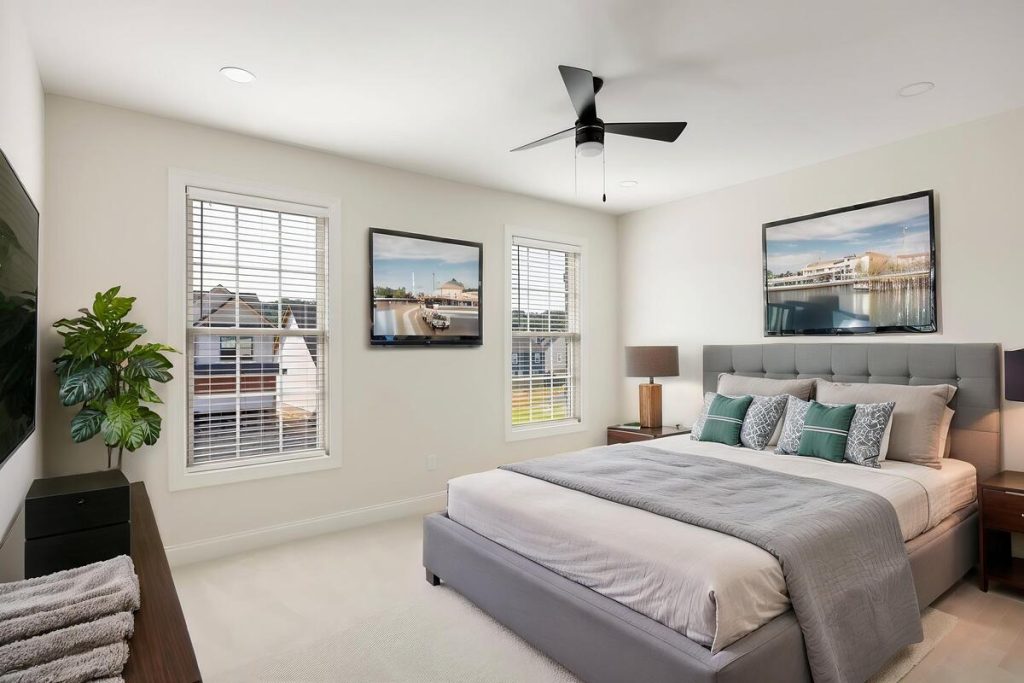
AI virtual staging fills the room with furniture that matches the property’s style, without the cost or lead time of physical staging. It’s a meaningful shift in how a listing performs online, with staged photos consistently drawing more views than empty-room shots.
How AI Photo Editing for Real Estate Actually Works
Most of these tools work by recognizing what’s in a photo, not just adjusting the image as a whole. A model trained on real estate photography can tell the difference between a window, a wall, a sky, and a piece of furniture, then apply corrections to each region separately.
That’s why a sky swap doesn’t wash out the house, and why fixing exposure in a dark corner doesn’t blow out a bright window on the other side of the same photo. It also means a full shoot, sometimes 20 to 40 photos, can run through the same corrections in one batch instead of being edited one at a time.
What Agents and Photographers Gain from Switching
The most immediate benefit is turnaround. Edits that used to take a professional editor hours can run in minutes, which matters when a listing needs to go live the same day it’s photographed.
Cost is the other piece. AI editing tends to run far cheaper per photo than manual retouching, especially for basic fixes like lighting, distortion, and sky replacement that don’t need a human eye on every single frame.
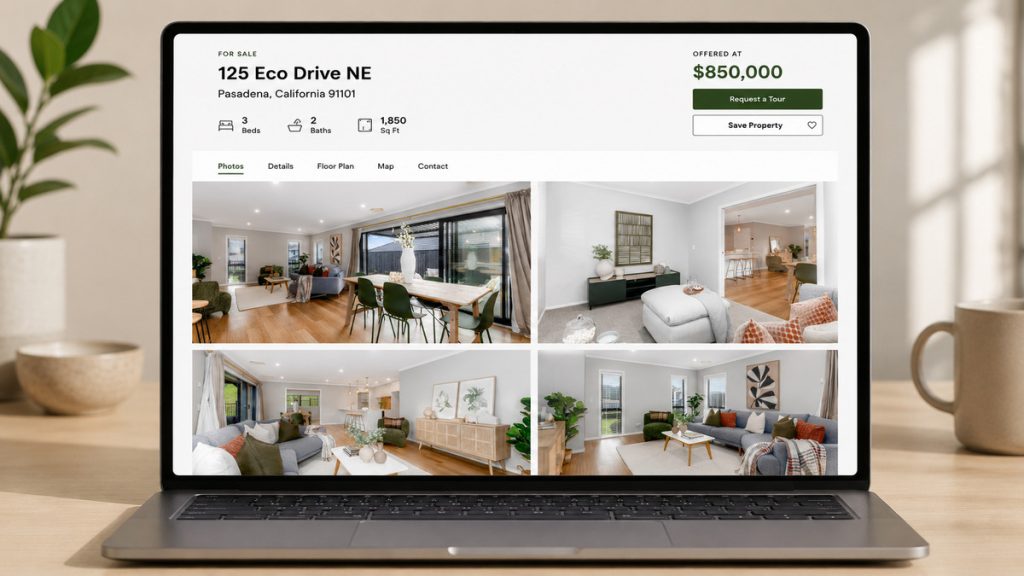
There’s also a consistency benefit that’s easy to overlook. When every photo in a gallery goes through the same correction process, the whole listing looks like it was shot and edited as a set, not stitched together from whatever came out of the camera.
And with 82% of agents now using AI tools in some part of their business, clean, consistent listing photos are quickly becoming the baseline buyers expect, not a differentiator.3
Do Agents Need To Disclose AI-Edited Photos?
Corrective edits like lighting, distortion, and sky replacement are standard practice and generally don’t require disclosure, since they’re fixing how the photo represents the property rather than changing what’s actually there. Most MLS photo policies treat these the same way they’ve always treated traditional photo editing.
Virtual staging is where the rules get more specific. Many MLSs require a visible “virtually staged” label on any photo showing furniture or decor that isn’t physically in the home, precisely because an unlabeled staged photo could mislead a buyer about what they’re walking into.
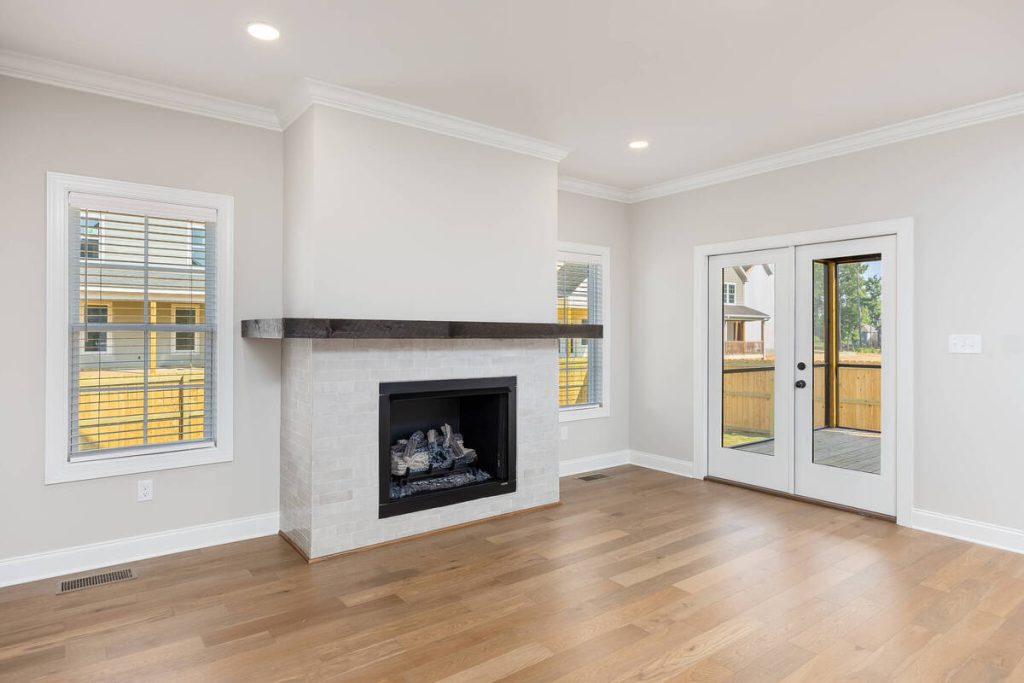
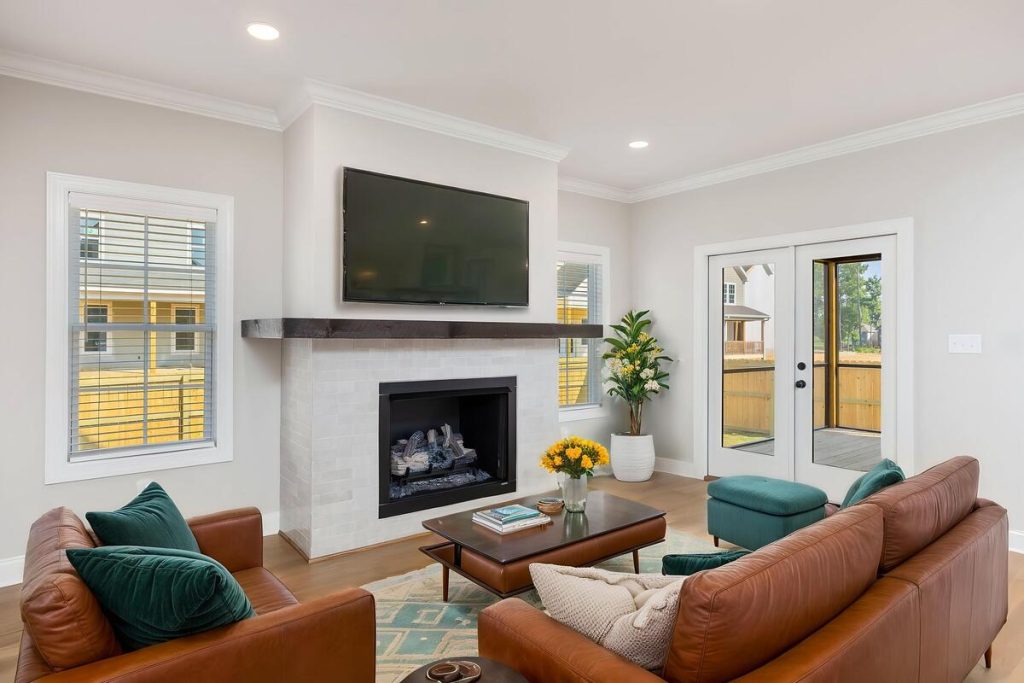
The distinction that matters is between editing that shows the property more accurately and editing that adds something that isn’t there. As AI staging tools become more realistic, it’s important to understand the gray areas they create and check your local MLS rules before publishing any virtually staged listing.
Getting Started With AI Photo Editing for Your Listings
A few habits make this workflow smoother:
Flag the obvious issues before editing starts. Knowing which rooms had lighting problems or which exteriors need a sky swap means the batch correction can target the right fixes instead of applying a generic pass to everything.
More Clicks. More Showings.
Get Market-Ready Listing Photos Fast
Transform your listing photos in seconds and attract more buyers from the first click.
Decide which shots need a manual review. Hero shots, like the front exterior or the kitchen, are usually worth a second look even after automatic correction. Detail shots can typically go straight through.
Run the full shoot as one batch rather than editing photo by photo. This is where most of the time savings show up, and it’s what keeps a full gallery looking consistent.
This is the workflow AgentUp is built around. It handles AI photo editing, virtual staging, and single-property website creation in one place, so a full listing can go from raw photos to a market-ready gallery without passing through three different tools.
If your listings are still losing views to lighting, distortion, or empty rooms, that’s a fixable problem, not a photography budget problem. See how AgentUp handles a full listing shoot.
References: